
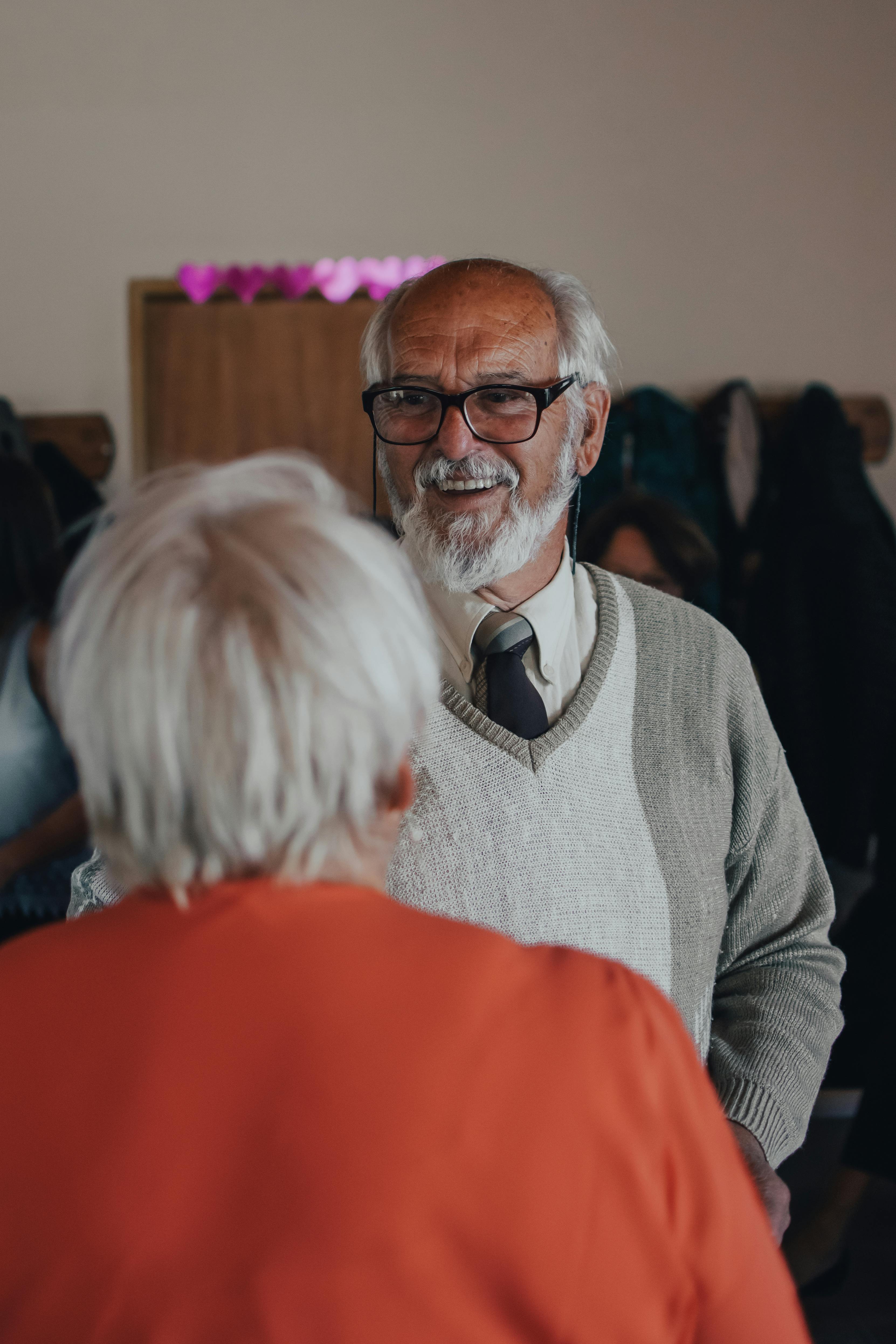
A video portrait of Grandpa can become a treasured family heirloom. This guide shows you how to edit his interview, add music, shape a clear narrative, and preserve the finished story in MyHeirloom so future generations can truly know him.
Many families have hours of footage stored across phones, memory cards, and cloud accounts, yet very few have a single, watchable video that truly captures a grandparent’s life story. A video portrait of Grandpa is different from a casual clip; it is a crafted narrative that gives his voice, expressions, and memories a coherent shape. It can function as both a personal memoir and a family history artifact, grounded in his own words and supported by images, documents, and music that illuminate his experiences.
The challenge is that most people are not professional filmmakers. After recording an interview with a loved one, they often feel overwhelmed by the technical and creative decisions that follow: how to cut long, meandering answers into a concise story; how to weave photos and home movies into the interview; how to choose music that supports emotion without distracting from dialogue; and how to store everything in a way that is safe, organized, and accessible.
Raw footage left on a phone or in a random cloud folder is vulnerable—files get lost, links expire, context disappears, and family members may not even know the material exists.
At the same time, the stakes are emotional. Editing Grandpa’s video is not just a technical project. It often takes place against the backdrop of aging, illness, or the awareness that a generation is passing.
The best approach balances care and practicality. Interview thoughtfully, edit with clarity and empathy, and then preserve the result in a privacy-first, legacy-oriented platform such as MyHeirloom. Here, it can live alongside related photos, recipes, documents, and family connections.
This article will guide you through that process in depth. It will begin by exploring why a video portrait matters and how it differs from casual video recording. It will then move through planning and interviewing, editing the footage into a coherent story, adding and mixing music, and addressing ethical and preservation concerns. Throughout, it will show how MyHeirloom supports each stage by providing a structured Legacy Room where Grandpa’s video, supporting materials, and contextual stories can be stored as carefully curated Keepsakes rather than scattered files.
The power and promise of a video portrait of Grandpa
A video portrait of Grandpa sits at the intersection of oral history, family documentary, and personal memoir. Unlike a written family history compiled years later, a video interview captures his voice, facial expressions, gestures, and pauses—subtle cues that often carry as much meaning as his words. Oral history projects have demonstrated how a well-framed conversation between family members can yield deeply moving narratives that resonate far beyond the participants themselves. When that conversation is preserved as video, future generations can experience a sense of direct encounter, almost as if they are sitting across the table from him.
From an emotional perspective, this kind of portrait provides both connection and continuity. For children and grandchildren, it can answer questions they did not yet know how to ask: What was Grandpa’s childhood like? How did he meet Grandma? What did he learn from hard times or major historical events? For Grandpa himself, it can offer a chance to reflect, to be heard, and to feel that his experiences matter and will not be forgotten.
A video portrait also serves a practical function in family memory preservation. It can become a reference point for later projects such as genealogy research, written memoirs, or family history books. The stories he tells about ancestors, locations, and traditions can guide efforts to build a family tree, verify facts, or connect archival photos to specific people and events. When the video is organized together with documents, recipes, and photographs rather than being saved in isolation, it becomes part of a broader personal archive that future researchers in the family can draw upon.
Tribute video makers routinely emphasize that length and pacing matter. Short, focused videos of under ten minutes are often more impactful in group settings such as family gatherings, memorials, or milestone celebrations. It is therefore crucial to think of the raw interview as source material, not as the final product.
This is where MyHeirloom’s approach can make a meaningful difference. Instead of leaving a long, unedited file in a generic cloud folder, you can treat the finished video portrait as a central Keepsake in Grandpa’s Legacy Room. Around it, you can add shorter clips, supporting photos, scanned letters, recipes, and notes that clarify dates, locations, or family connections. Because MyHeirloom is designed specifically for digital legacy, not social-media-style broadcasting, it encourages you to think beyond one-off sharing and toward multi-generational access, context, and privacy.
From raw footage to story: Planning and structuring Grandpa's video
Designing the interview with editing in mind
The path to a powerful video portrait begins before you press record. The way you plan and conduct the interview will significantly shape what is possible during editing. Family history filmmakers and oral historians consistently recommend preparing a set of questions ahead of time, covering areas such as childhood, family traditions, work life, important historical events, and personal values. A clear question list helps prevent the conversation from drifting into unfocused anecdotes and ensures you gather material across the breadth of Grandpa’s life rather than only his favorite stories.
The goal is to create a relaxed environment where Grandpa feels comfortable sharing. Choosing a quiet setting, turning off phones, and minimizing background noise all support this atmosphere. Some oral history guidelines also emphasize informed consent and transparency: you should explain why you are recording, how the footage will be used, and who might see the final video, giving Grandpa the opportunity to ask questions or set boundaries.
Storytelling coaches often highlight several simple techniques that make narratives more vivid and easier to edit. One effective approach is to anchor stories in specific locations and actions. Instead of asking only general questions like “What was your childhood like?”, you might invite Grandpa to recall a particular scene: “Can you describe the kitchen in your childhood home?” or “Tell me about a moment you remember during the war, where were you standing?” When he responds by describing where he is, what he is doing, what he is thinking, and what he is feeling, the result is concrete and cinematic rather than abstract.
MyHeirloom’s Weaver can support this phase before and after the interview. As a reflection and storytelling assistant, it helps you brainstorm prompts and structure your narrative. While it is not an automatic video editor, you can use Weaver before the interview to think through prompts, themes, and life phases to cover, including questions about My Tribe members, major milestones on the Life Timeline, or significant recipes and traditions for the Family Cookbook.
Shaping a narrative arc: From memoir theory to video
Once the interview is recorded, you hold a mass of raw material. The challenge now is to shape that material into a narrative arc that feels coherent and emotionally satisfying. Memoir-writing frameworks are surprisingly useful here. Many memoir teachers suggest that even non-fiction life stories benefit from an underlying structure similar to a novel: a hook that draws the audience in, a promise of transformation, a clear focus, escalating friction or challenges, deepened character understanding, and a culminating resolution.
Identifying a core focus early in the editing process helps you decide which stories to emphasize. This prevents you from trying to fit a complete birth-to-death autobiography into a short video. Instead, choose a specific theme, such as resilience, family craftsmanship, or migration, to serve as the backbone of your edit.
Friction—moments of conflict, challenge, or internal struggle—also plays a crucial role. A video that consists only of happy memories and general praise risks feeling flat or idealized. When Grandpa talks about difficult times, whether financial hardship, illness, migration, or interpersonal conflict, the story gains depth and credibility. Viewers are more likely to stay engaged when they sense that there is something at stake in the narrative and that the main character grows or changes in response.
In practical editing terms, shaping a narrative arc often involves creating a rough outline. Within each section, you can select the strongest clips that support the overarching promise and highlight key turning points. This outline becomes the backbone of your edit, guiding your use of B-roll, music, and pacing. MyHeirloom can mirror this structure: each major video section can be associated with separate Keepsakes that contain additional media, such as photos from Grandpa’s early life or scans of his historical documents in DocuVault.
Collecting supporting materials: Photos, documents, and B-roll
A talking-head interview alone can be powerful, but many viewers find it more engaging when the speaker’s words are supported by visual material. Tribute video makers and family documentary creators often gather photos from different life stages, home movies, letters, and memorabilia to weave into the story. These assets can be used as B-roll or cutaway shots, overlaying Grandpa’s voice while showing images that illustrate or deepen what he is saying.
B-roll breaks up visual monotony and allows you to hide jump cuts when trimming the interview. Even a handful of well-chosen cutaway shots can make an interview feel polished and intentional. If you remove a long pause or a repeated phrase, you might place a photograph of Grandpa’s childhood home over that section of audio, with a gentle zoom, so that the viewer experiences a smooth transition rather than a jarring cut.
Organizing these materials can be a substantial task in itself. Many people have photos scattered across old albums, shoeboxes, phones, and multiple cloud services. Digital archiving specialists recommend establishing a simple, scalable folder structure, often organized by year, then month, then event, so that images and videos are easier to find later. They also discourage using camera memory cards as long-term storage or relying on a single device, emphasizing the need for at least one primary storage location such as an external solid-state drive and additional backup copies.
MyHeirloom offers an alternative to purely file-system-based organization. Instead of thinking only in terms of folders, you can attach photos, audio snippets, and documents directly to narrative Keepsakes centered on specific memories. For example, the segment of the video where Grandpa describes building his first house can be associated with a Keepsake that includes construction photos, historic land deeds stored in DocuVault, and a note explaining the family circumstances at that time.
Interviewing as a relational practice
Finally, it is important to remember that an interview for a video portrait is a relational event, not just a recording session. Oral history guidelines emphasize active listening, non-judgmental curiosity, and sensitivity to emotional cues. If certain topics evoke strong feelings or discomfort, you may choose to steer the conversation gently elsewhere, revisiting them only if Grandpa is willing. You should also be prepared for unexpected stories or shifts in perspective; what you thought would be the central theme may turn out to be less important than a newly revealed experience.
After the interview, expressing gratitude matters. Letting Grandpa know how much you appreciate his openness and time can deepen trust and make him more willing to participate in follow-up conversations or review the edited video. When you later upload the portrait to MyHeirloom, you might create a separate Keepsake to document your own perspective on the interview: how it felt, what you learned, and what you hope his descendants will take from it.
Editing Grandpa's video portrait: From rough cut to final story
Preparing your footage and workspace
Once the interview and supporting materials are recorded, the editing process begins. The first stage is to transfer your footage from cameras or phones to a reliable storage device. Video professionals advise against leaving original files on SD cards or using your main computer drive as the only storage location. Instead, they recommend copying files to an external solid-state drive for daily work and maintaining at least one backup, either on a traditional hard drive or in a cloud backup system. This reduces the risk of data loss during editing.
Organize your workspace by labeling clips clearly and sorting them into folders corresponding to sections of the story. This keeps the editing process efficient. Many tools are available, from consumer-friendly apps to more advanced non-linear editors. Some platforms provide built-in tools for uploading raw footage, automatically generating transcripts, and removing pauses or filler words.
It can be helpful to make a “selects” sequence as an early step. This involves watching the entire interview and marking or pulling out the strongest moments: clear, emotionally resonant answers, concise stories, and key reflections. Family video biographers often describe this as the heart of their process, where they identify the material that truly serves the story and set aside clips that do not advance the narrative arc.
MyHeirloom can provide conceptual support even before the edit is finished. As you identify major themes in the footage—such as migration, faith, hardship, humor, or craftsmanship—you can begin creating Keepsakes that mirror those themes. These Keepsakes can hold draft notes, transcripts, and preliminary clip lists, effectively extending your editing workspace into a legacy-oriented environment.
Give them the home they deserve. Bring your family legacy into the digital age.
Start archivingBuilding the rough cut: Structure and pacing
The rough cut is where your planned narrative structure takes shape. Editors of talking-head videos often begin by laying down the main dialogue in the desired order, without worrying yet about B-roll, music, or polish. Using your outline, you can place interview segments into chronological or thematic sequence, trimming out false starts, digressions, and long pauses. Some tools allow you to remove silences longer than a certain duration automatically, which can significantly tighten pacing. However, you should still watch for moments where a pause is meaningful—preserving silence can add emotional depth rather than dead space.
Reading aloud techniques can help ensure your video edits flow naturally. Just as authors read their drafts out loud to hear awkward phrasing or repetitive words, you can play your rough cut and ask yourself whether the flow makes sense to someone who does not know the family context. Are there unexplained names or events? Do pronouns like “he” or “she” become ambiguous? Addressing these issues might involve adding brief on-screen titles or recording a short voiceover introduction that gives viewers essential orientation.
Pacing is another key element. Tribute video makers suggest that for group viewing, especially at events such as birthdays, anniversaries, or memorials, shorter videos with a clear through-line tend to be more impactful than long, exhaustive ones. You might create a primary portrait of six to ten minutes, focusing on one main theme, and then produce additional “bonus” videos for family members who want more detail.
Enhancing the edit with B-roll, photos, and text
Once the dialogue backbone is in place, you can begin to weave in supporting visuals. At points where Grandpa describes specific people, places, or events, you may choose to overlay photographs, home videos, or simple B-roll shots. For example, while he talks about childhood summers at the lake, you might show scanned photos from those trips or contemporary footage of the lake today.
By covering edits with a relevant photo, you allow yourself more freedom to sculpt Grandpa's words. This removes visual jumps while keeping the narrative smooth. Even simple shots—his hands turning pages of an old album, a close-up of family heirlooms on a table, or exterior shots of his house—can be invaluable tools for smoothing the edit.
Text elements can further support understanding. Lower-third titles can identify people (“Grandpa, age 84”) or clarify time periods (“1970s, working at the mill”). Short on-screen quotes can highlight particularly meaningful sentences, functioning almost as chapter breaks or emphasis markers. In a digital context like MyHeirloom, you can also reinforce this information in the metadata of the Keepsake: adding tags for locations, years, and key topics helps future viewers discover and navigate the content.
Refining for clarity: Self-editing techniques applied to video
After assembling a rough cut with supporting visuals, you move into refinement. Family history editors emphasize the value of stepping away from a draft and returning with fresh eyes. The same applies to video: taking a break of a few days, then re-watching the portrait, can help you see where the story drags, where explanations are missing, or where emotional beats might benefit from more space.
Line-editing principles advise removing material that does not serve a clear purpose. In video, this means cutting anecdotes that repeat similar points, trimming overly detailed technical explanations, or shortening tangents. This keeps the viewing experience engaging and focused on the central theme.
Next, you can refine flow. Check whether transitions between sections feel smooth. You might need brief bridging phrases spoken by Grandpa or added as voiceover, such as “Years later, when I had children of my own…” or “That experience changed the way I saw work forever.” In some cases, you can also reorder segments to enhance coherence, grouping related stories together instead of following the exact chronology of the interview.
For a video portrait, it is usually effective to conclude with a forward-looking reflection. You might ask Grandpa to address his grandchildren or great-grandchildren, offering advice or expressing his hopes for them. This gives the video a clear, emotionally satisfying closure. In MyHeirloom, this conclusion can also be mirrored in a written letter or note stored as a separate Keepsake or in DocuVault.
Exporting and versioning
When you are satisfied with the edit, you will export the video to a suitable format, typically a high-definition MP4 file. It is wise to save both a master version at higher quality for archival purposes and a compressed version optimized for streaming and easy viewing. MyHeirloom, as a web-based legacy platform, supports standard video formats such as MP4, enabling you to upload the portrait as a primary Keepsake in Grandpa’s Legacy Room.
Versioning is also worth considering. You might maintain one version that is suitable for public sharing within the family and another that preserves more sensitive content. MyHeirloom’s privacy controls allow you to keep certain Keepsakes private, share others selectively, and make some content accessible through specific platform-generated URLs if you choose. This flexibility can be important if Grandpa has shared personal reflections that he wants accessible only to immediate family, alongside more general stories that could be shared more widely.
Adding music to Grandpa's story: Emotion, licensing, and audio balance
Why music matters in a video portrait
Music has a powerful ability to shape how viewers experience a story. In tribute videos and family documentaries, tasteful background music can enhance mood, provide continuity, and evoke memories, especially when used at key emotional moments. When Grandpa reflects on a challenging period of his life, a subtle, minor-key piano track might reinforce a sense of solemnity or introspection. When he recalls joyful celebrations, a lighter, more upbeat piece can help convey warmth and energy.
Music should always serve the story rather than dominate it. If a track is too loud or lyrically distracting, it will pull attention away from Grandpa’s voice and even obscure important words. On the other hand, at the right moment, a well-chosen track can highlight a transition, underscore a montage, or give viewers a moment to process what they have just heard.
Instrumental tracks are usually preferable for interview-based videos, because lyrics can compete with spoken words. Collections of background music specifically designed for interviews, presentations, and story-driven videos provide a range of options that are emotionally supportive without being intrusive. Such tracks often feature gentle piano, guitar, or ambient textures that can sit comfortably under dialogue.
A video portrait that incorporates music becomes a richer sensory experience. When stored in his Legacy Room, it evokes a holistic sense of his presence. For instance, you might use a similar musical motif across multiple videos about him, creating a recognizable signature that family members associate with his story whenever they revisit his Legacy Room.
Legal and ethical use of music
While music’s emotional power is undeniable, there are important legal considerations when incorporating it into a video. Copyright law grants creators control over how their music is used, and simply adding a popular song to a video without permission can constitute infringement, especially if the video is shared online.
If you plan to upload the video portrait or share it widely, it is safer to use music you have the right to include. This respects the work of musicians and ensures you do not run into copyright restrictions on digital platforms. Many royalty-free or stock music services offer libraries of tracks that you can legally use in your videos under certain conditions.
Some tracks require only attribution, meaning you must credit the creator in your video description or credits. Dedicated channels for content-creator music emphasize the need to follow their stated crediting requirements when using their tracks in your projects. Another approach is to create your own music, either by composing and recording it yourself or by using digital tools that allow non-musicians to assemble loops and sounds into custom tracks.
Using rights-appropriate music ensures your digital legacy does not embed legal risks. Even though MyHeirloom is not a public social platform, it allows you to share Keepsakes selectively. Using legally compliant music keeps your files stable and shareable within your network without platform flags.
Balancing dialogue and music: Practical audio levels
Even the most beautiful music will undermine your video portrait if it makes Grandpa hard to understand. Audio mixing is therefore a crucial part of the editing process. Video audio specialists frequently recommend aiming for dialogue levels around minus 10 decibels (dB) on standard meters, allowing some fluctuation but keeping speech consistently intelligible.
When music plays under dialogue, it should sit significantly quieter on the meters. Background music generally sits between minus 20 and minus 30 decibels. The exact level depends on the frequency content of the track; a sparse piano piece can tolerate being slightly louder, whereas a driving, full-frequency track needs to be lower.
You can begin by setting Grandpa’s voice to a stable level and then bringing in the music slowly until it is just audible, then back it down slightly. The test is whether a viewer can understand every word without effort, even in parts of the video where Grandpa speaks softly. If at any moment you find yourself straining to hear him over the music, the music is too loud.
Clear, well-balanced audio increases the chances that Grandpa's words will remain understandable. Decades from now, family members may be watching the video on different devices with varied speaker qualities. Proper mixing ensures his legacy is preserved with acoustic clarity.
Where to place music in the story
Music placement is as much a storytelling decision as a technical one. Tribute and memorial video guides often recommend using music to mark transitions, reinforce montages, and underscore particular emotional beats rather than playing continuously from start to finish. In a video portrait of Grandpa, you might consider several strategic uses.
Once Grandpa starts talking, you can reduce the music to a subtle background or fade it out. Bring it back selectively during transitions or pauses. For example, after he shares a difficult story, you could allow a short sequence of photos accompanied by slightly more prominent music, giving viewers time to process before moving on.
Another effective use is at the conclusion. As Grandpa addresses his descendants directly or offers his final thoughts, a gentle, familiar motif can rise slightly in volume, supporting the emotional tone without overpowering his words. After he finishes speaking, you can let the music carry the final frames—perhaps a lingering shot of him smiling, then a simple title card with his name and dates.
Mini FAQ: Music and Grandpa's video portrait
1. Is it okay to use Grandpa's favorite popular song in his video portrait?
For private, offline viewing within the immediate family, some families choose to use favorite songs informally. However, if you plan to share the video more widely, it is safer to use licensed or royalty-free music designed for content creators. Popular songs usually require expensive licensing and may trigger copyright restrictions if shared online.
2. Do I need music under the entire interview?
Not necessarily. In many cases, sparse and strategic use of music is more effective than constant background sound. You can use music for the opening, transitions, montages, and conclusion, and keep large portions of the interview itself free of music so that viewers can focus fully on Grandpa’s voice.
3. How do I know if the music is too loud?
A simple test is to close your eyes and listen. If you ever need to strain to hear Grandpa’s words or cannot understand them clearly, the music is too loud. As a technical guideline, dialogue around minus 10 dB and music under dialogue between minus 20 and minus 30 dB are common starting points for a balanced mix.
Legal, ethical, and preservation considerations
Consent, boundaries, and oral history ethics
Recording and editing a video portrait implicates ethical responsibilities beyond technical skill. Oral history organizations emphasize that interviewees should understand the purpose of a recording, how it will be used, and who may have access to it. This is particularly important when dealing with older adults, sensitive topics, or material that might affect living relatives.
An explicit conversation about consent helps avoid misunderstandings and ensures Grandpa feels respected. These preferences can then guide your privacy settings. Grandpa might be comfortable with his childhood and career stories being widely shared, but wish to keep certain reflections or details accessible only to close family members.
Ethical practice also includes sensitivity to trauma and emotional boundaries. If Grandpa becomes visibly distressed when recalling a particular event, you may decide in the moment to pause, change topics, or ask whether he wishes to continue. Later, when editing, you can decide together whether to include such segments, perhaps in an abbreviated or contextualized form, or to omit them from the portrait and instead store them as separate, more restricted materials.
Privacy considerations also extend to living relatives mentioned in the stories. It is wise to consult with affected family members before sharing widely. MyHeirloom’s model of selective sharing, where specific Keepsakes can be private, shared with selected individuals, or made visible to guests by deliberate choice, supports nuanced handling of such ethical complexities.
Preserving files for the long term
Technical preservation is the other side of safeguarding Grandpa’s story. Digital files are vulnerable to hardware failure, format obsolescence, accidental deletion, and simple forgetfulness. Photo and video organization experts stress the need for a clear, consistent system for storing and backing up images and videos.
Maintain at least one primary storage location and additional independent backup copies. This minimizes the risk of losing irreplaceable footage. External solid-state drives offer speed and reliability for daily use, while traditional spinning hard drives and cloud backups serve as economical long-term repositories.
Store your most cherished memories and heritage safely on Heirloom.
Preserve our memoriesMyHeirloom complements and extends these strategies by providing a legacy-focused layer on top of file storage. Rather than being just another folder, a Legacy Room organizes videos, photos, documents, and stories into structured features such as Keepsakes, Life Timeline, My Tribe, Family Tree, Family Cookbook, and DocuVault. Each Keepsake can include descriptive text, dates, locations, and relational context, which function as rich metadata.
Organizing the broader legacy around the video
A single video portrait is powerful, but its impact increases when integrated into a broader legacy system. After finishing the edit, you will likely have many additional assets: extra photos, outtakes, transcripts, notes, and perhaps separate recordings. Without organization, these may remain scattered across devices, making it difficult for future descendants to piece together the context.
The video portrait of Grandpa can serve as a flagship Keepsake in his Legacy Room. Around it, you can create additional themed Keepsakes. For example, you might create collections for “Grandpa’s service in the army,” “Grandpa’s workshop,” or “Grandpa’s favorite holiday traditions.” The Life Timeline can position these Keepsakes chronologically, offering a visual overview of key life events.
My Tribe and Family Tree can then map the relationships underlying many of Grandpa’s stories. People he mentions can be added as profiles, with notes on how they are related and what role they played in his life. As other family members create their own Legacy Rooms, cross-links can be formed, reflecting the reality that family history is a network of interconnected lives.
Sensitive documents are more appropriately stored in DocuVault than in shared Keepsakes. This provides secure, password-protected archiving. If Grandpa references historical property records, certificates, or personal papers in the video, you can store scanned copies in DocuVault, which requires distinct credentials to access and can be set to reveal to Trustees under specific parameters.
How MyHeirloom helps turn Grandpa’s video portrait into a living legacy
From one video to a structured legacy room
Many families begin their legacy journey with a single project—a video portrait, a scanned photo album, a collection of recipes—and then struggle to integrate that project into a broader, coherent archive. MyHeirloom is designed precisely to help users move from isolated files to an organized, secure, and meaningful digital legacy. At the center of this system is the Legacy Room, which functions as a curated space where you can bring together Grandpa’s video portrait, his photos, documents, relationships, and stories.
When you upload the finished video, you can create a Keepsake dedicated to it. This transforms the file from a generic format name into a clearly identified story element. The Keepsake description can summarize the interview, highlight key themes, and note any important context not explicit in the video itself—such as why it was recorded at a particular moment or who was present behind the camera.
If you are creating this legacy as a Patron Account on Grandpa’s behalf, his Legacy Room can become a space where multiple generations contribute. Adult children might add their own written memories, audio messages, or photos as Keepsakes responding to themes in the video. Grandchildren could record short video messages about what they learned from watching his portrait.
Keepsakes, Life Timeline, and Weaver as storytelling allies
The Keepsake concept aligns naturally with the editing and storytelling practices described earlier. Each significant story, object, or relationship mentioned in the video portrait can become its own Keepsake, enriched with media and context. For example, if Grandpa talks about “the old farmhouse,” you can create a Keepsake with photos of the farmhouse, a scan of the property deed in DocuVault, and a short text explaining its significance.
The Life Timeline offers a chronological visualization of these Keepsakes. As long as you assign dates, Keepsakes automatically appear along the timeline. This gives viewers a way to navigate Grandpa’s life visually rather than only through a single linear video.
Weaver, MyHeirloom’s AI storytelling guide, further supports this ecosystem. As a reflection and narrative guide, Weaver is not an automatic video editor. However, you can transcribe your video portrait's contents and feed key segments into Weaver to help generate written summaries, draft timelines, or craft prompts for additional Keepsakes. Weaver can suggest questions to ask other family members to complement Grandpa’s story, identify recurring themes, or help transform spoken anecdotes into polished text memoir-style entries.
My Tribe, Family Tree, and intergenerational connection
One of the most distinctive aspects of a grandparent’s video portrait is the web of relationships it reveals. Grandpa rarely talks only about himself; he speaks of his parents, siblings, friends, mentors, children, and grandchildren. In conventional storage systems, those relational references remain implicit, embedded only in the video.
In My Tribe, you can create profiles for the important people in Grandpa's life. This includes both genetic and non-genetic relations. These profiles can include photos, short biographies, and links to Keepsakes where they appear. For instance, if Grandpa tells a story about his brother Thomas teaching him to fish, Thomas can have his own My Tribe profile linked both to the video portrait and to a recipe in the Family Cookbook.
The Family Tree feature then situates these individuals in a genealogical structure, demonstrating how stories intersect across generations. While MyHeirloom’s Family Tree currently offers one visualization type and does not yet import or export GEDCOM files, it supports modern relationship structures and allows you to mark different relation types, such as direct line or broader bloodline.
These connections become particularly meaningful after Grandpa's passing. You can set up a Trustee to help care for and manage the account. A Trustee can help ensure that the Legacy Room remains accessible and maintained, that plans continue, and that the posthumous visibility settings are handled according to Grandpa’s wishes. The video portrait remains a central, enduring point of connection for descendants.
Recipes, documents, and instructions connected to the portrait
Grandpa’s stories often include practical knowledge: how to cook a particular dish, how to repair a household item, how to manage a garden, or how he organized his finances. While some of this can be captured in the video itself, MyHeirloom’s specialized features allow you to preserve these dimensions more systematically.
The Family Cookbook feature is designed for preserving recipes, rituals, and food-related traditions. If Grandpa mentions his famous soup or a holiday baked good in the video, you can create a recipe entry with ingredients, instructions, and photos. In some cases, you may even capture separate video clips of him cooking, which can be attached to the recipe as additional media.
DocuVault, by contrast, focuses on important and sensitive documents. If Grandpa refers in the video to historical property records, certificates, or personal papers, you can store scanned copies in DocuVault rather than in more widely visible Keepsakes. DocuVault operates under high-security guidelines, requiring distinct credentials to access, and allows users to choose whether contents become visible to Trustees or remain fully private. It is not a replacement for professional legal services, but it provides a secure place for critical family information.
Why MyHeirloom vs. ordinary cloud storage
A natural question arises: why not simply store Grandpa’s video portrait and related files on a generic cloud service or external drive? The answer lies in the difference between storing files and preserving a legacy. Ordinary storage solutions treat everything as flat data, without understanding relationships between media, people, and stories.
Standard platforms often encourage short-term sharing rather than long-term curation. Over time, links are lost and future generations may struggle to understand why files matter.
MyHeirloom takes a different approach by integrating media into a Legacy Room structured around Keepsakes, Life Timeline, My Tribe, Family Tree, Family Cookbook, and DocuVault. This encourages users to add context, transforming isolated files into a story-rich environment.
Privacy-first architecture and user-controlled visibility settings allow you to decide who sees what. Standard security features like encryption and platform backups support multi-generational preservation.
Features and limits may vary depending on the selected plan; exact capacities, plan names, storage limits, and subscription options can change over time, and current details should be checked on the official pricing page. When you build Grandpa's Legacy Room, you lay the foundation for your family's shared history, creating an organized, secure, and deeply human digital heirloom.
Conclusion
A video portrait of Grandpa is one of the most intimate and enduring gifts you can create for your family. It preserves not only facts about his life but the sound of his voice, the way he smiles when remembering a joke, the pauses before he speaks of something difficult, and the warmth with which he addresses his descendants. Yet the value of such a portrait depends on more than the act of recording. It requires careful interviewing, clear narrative structure, thoughtful editing, respectful use of music, ethical consideration of consent and privacy, and robust strategies for long-term preservation.
Applying memoir-inspired structures helps you shape Grandpa's memories into a coherent arc. Editing techniques like selecting key clips and weaving in B-roll transform raw footage into a watchable film. Music, when chosen and mixed with care, can underscore key moments without overshadowing Grandpa’s voice, and legal awareness ensures that the songs you use respect the rights of creators.
We have also explored how preservation extends beyond mere storage. Organizing files on reliable hardware with backups and logical folder structures reduces the risk of loss, but without context and relational mapping, future viewers may still struggle to understand what they find. MyHeirloom addresses this gap by providing a privacy-first Legacy Room where Grandpa’s video portrait can live as a central Keepsake, connected to a Life Timeline, My Tribe and Family Tree, Family Cookbook, and DocuVault.
Ultimately, the goal is not perfection but intention. A lovingly edited, clearly narrated, and musically supported video portrait will serve your family far better than raw footage left on a forgotten device. When you combine this portrait with MyHeirloom’s tools for organizing memories, relationships, and important information, you create not only a tribute to Grandpa but an enduring foundation for your family’s shared digital heritage.
FAQ
1. How long should a video portrait of Grandpa be?
For most family settings, a focused video between six and ten minutes works well, especially when shown at gatherings such as birthdays, anniversaries, or memorials. Shorter videos help keep attention and make key stories more memorable. You can always create additional, longer clips for relatives who want more detail and store them as separate Keepsakes in MyHeirloom.
2. Is a simple phone recording enough for a meaningful video portrait?
A phone recording can absolutely capture valuable stories, especially if you plan the interview, choose a quiet space, and listen actively. However, editing—even basic trimming and adding a little B-roll—greatly improves watchability. The key is less about professional equipment and more about thoughtful storytelling and preservation. Once you have the recording, uploading the edited video to MyHeirloom and surrounding it with contextual Keepsakes turns it into a true digital heirloom.
3. Do I really need to worry about music copyright if the video is only for family?
If the video remains strictly private and offline, many families informally use favorite songs. But if you plan to share the video online, even within a private group, or host it in places that may process it like public content, it is safer to use licensed or royalty-free music designed for creators. Using appropriate background tracks also simplifies future sharing decisions and respects the rights of musicians.
4. How can I involve other family members in Grandpa’s video project?
Involving others can enrich the project and share the workload. Relatives can help collect photos, fact-check details, suggest questions, or record short responses to the finished portrait. Within MyHeirloom, they can create their own Keepsakes linked to Grandpa’s Legacy Room, adding written memories, audio messages, or recipes that connect to his stories. Over time, this collaborative layering turns the video portrait into the anchor for a broader family legacy.
5. What if Grandpa shares sensitive or painful stories on camera?
Sensitive material should be handled with care and respect. During the interview, you can pause or change topics if he becomes distressed. Afterward, discuss with him how he wants these stories used. Some segments might be omitted from the main portrait but preserved in more restricted forms, such as private Keepsakes or entries in DocuVault. MyHeirloom’s privacy controls and DocuVault’s secure, password-protected environment allow you to tailor visibility in line with his wishes.
6. How does MyHeirloom differ from a standard cloud folder for storing Grandpa’s video?
A standard cloud folder treats the video as just another file, often without context or relational information. MyHeirloom, by contrast, organizes Grandpa’s video within a Legacy Room that includes Keepsakes, a Life Timeline, My Tribe, Family Tree, Family Cookbook, and DocuVault. This structure adds meaning, context, and relationships around the video, making it easier for future generations to understand who he was, how he was connected to others, and why his stories matter. It also provides privacy-first controls and storytelling tools like Weaver to support ongoing legacy-building rather than one-time file storage.

MyHeirloom gives you a dedicated Legacy Room—a private, secure space to collect photos, videos, documents, and stories.
Start now for free