
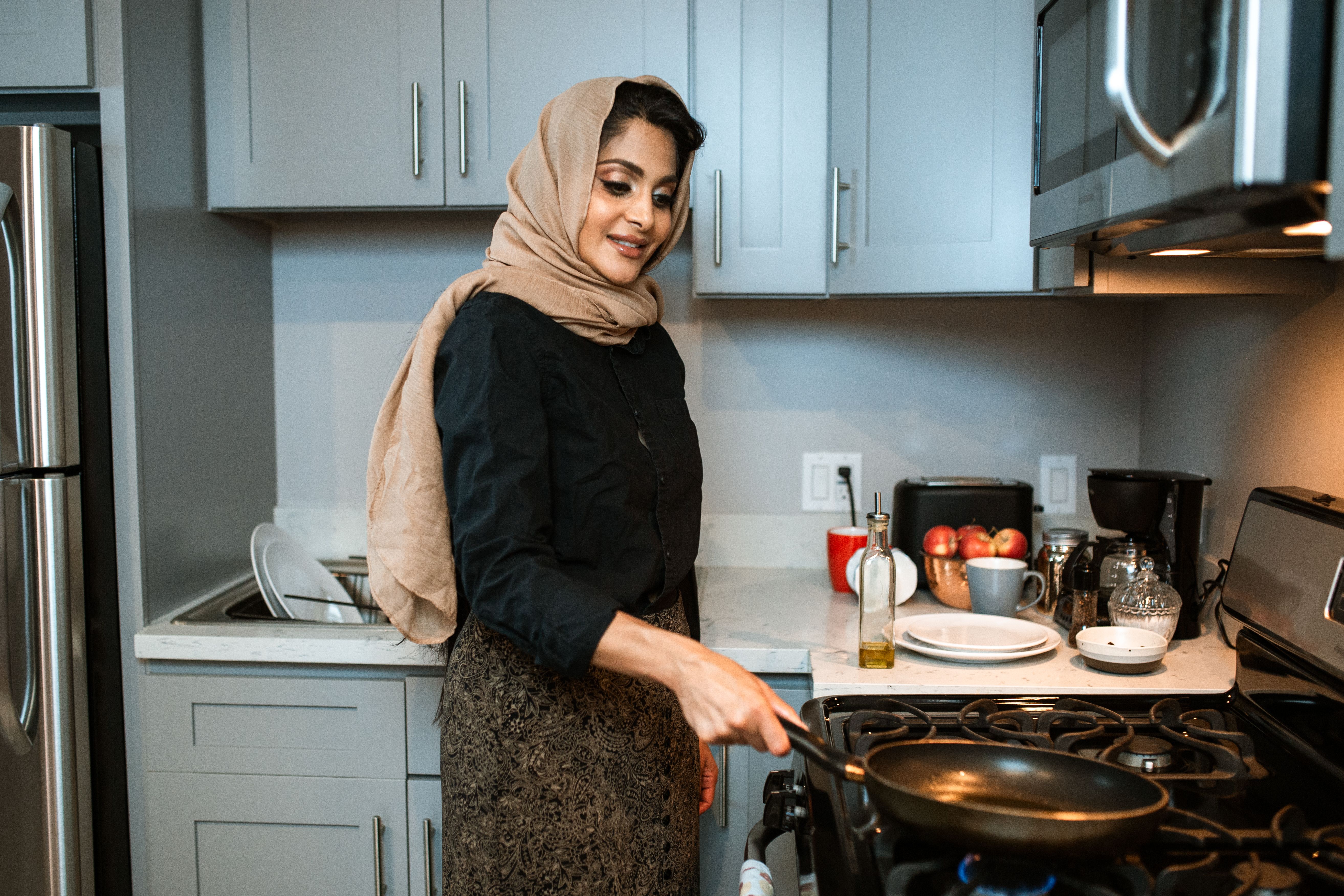
How to capture your family story on your phone: Technical tips for beginners
You do not need professional gear to preserve your family story. With a smartphone, a quiet space, and a few simple techniques, you can record clear, lasting memories and then turn them into a meaningful digital legacy in MyHeirloom.
For many families, the most important stories still live only in conversations at the kitchen table, in a grandparent’s voice on the phone, or in boxes of old photos and papers that rarely see the light of day. At the same time, we are constantly capturing quick snapshots and short videos on our phones that drift into crowded camera rolls and are easily forgotten. The gap between what truly matters and what actually gets preserved is often wide. This article focuses on closing that gap using tools almost everyone already has: a smartphone and an internet connection.
When people think about recording a family story or starting a personal archive, they often imagine complex cameras, interviewing skills, or specialized software. In reality, the bigger barrier is usually psychological and organizational rather than technical. The goal here is not to turn you into a professional filmmaker or archivist, but to give you enough technical confidence that you can press record, ask good questions, and know that what you capture will be usable, clear, and safely stored. A few simple practices around sound, light, framing, and file management can dramatically improve the quality and longevity of what you collect.
This guide is written for beginners who want to preserve family stories and memories in a calm, practical way. It is especially relevant if you are a parent or grandparent wanting to leave something meaningful, an adult child of aging parents, a family historian or genealogy enthusiast, or someone who has simply realized that scattered files in cloud folders and social media are not enough. Throughout the article, you will also see how MyHeirloom helps turn those raw phone recordings into an organized, secure, and contextualized legacy that connects people, stories, and important information in one place.
Finally, this is not a theoretical guide. It draws on established oral history practices from major historical institutions, practical smartphone-recording tips from audio and video professionals, and best practices from archivists who manage long-term collections of photos, documents, and digital files. The result is a step-by-step path: from preparing your phone and environment, through recording audio and video, to organizing, backing up, and then transforming those materials into Keepsakes, timelines, and documents inside your MyHeirloom Legacy Room.
From quick snapshots to lasting legacy
Why your phone is enough to begin
Modern smartphones contain microphones, cameras, and processing power that rival older professional equipment, especially when your main goal is intimate, conversational recording rather than cinematic production. For recording a grandparent’s stories, capturing a parent cooking a traditional recipe, or documenting your own reflections, what matters most is not technical perfection but clarity, warmth, and context. A smartphone can provide all three when used thoughtfully.
Unlike separate audio recorders or cameras, a phone is usually with you and is familiar to your relatives. That familiarity matters because many people become tense as soon as they see a large camera or complex microphone setup.
A phone, by contrast, often feels informal and normal. Several family-story guides recommend using a smartphone voice recorder as the simplest path to capturing stories that might otherwise be postponed indefinitely. The key is to approach the session with care rather than treating it as a casual chat.
Another advantage of smartphones is the immediate ability to duplicate and back up files. You can record audio in a voice-memo app, then quickly copy it to cloud storage or transfer it to a computer, reducing the risk of data loss. Most phones also integrate basic editing options and third-party apps for trimming, labeling, or transcribing recordings, which makes it easier to turn raw material into usable stories.
MyHeirloom builds on this reality rather than trying to replace it. The platform does not ask you to abandon your phone; instead, it provides a dedicated Legacy Room where those recordings can live once they leave your device. After you capture an interview, a recipe video, or a narrated walk through family photos, you can upload it as a Keepsake, enrich it with text, dates, related people, and supporting documents, and see it appear on your Life Timeline alongside other memories. In this way, your phone is the capture tool, and MyHeirloom becomes the long-term, structured home for what you have captured.
Why recording family stories matters now
Family memories are more fragile than they appear. Research and experience in oral history repeatedly show that details fade, dates become fuzzy, and entire episodes are gradually lost as people age and as younger generations move further away from the original events. Even when stories are told often, they may exist only in spoken form; once the storyteller is gone, their voice and unique phrasing vanish with them. At the same time, our digital habits can create the illusion of preservation. Thousands of photos and clips accumulate, but without explanation, names, or dates, future viewers may not understand who is who or why a moment mattered.
There is also a timing dimension. For many older adults, mornings—especially mid-morning after breakfast—are when memory and concentration tend to be at their best. Studies referenced in family-story recording guides point to better cognitive performance in the morning for older adults, which has practical implications: if you want to record a clear, detailed story from a parent or grandparent, the time of day you choose will influence the quality of what you capture. Waiting until “someday” or relying on holiday gatherings where people are tired, distracted, or pressed for time significantly reduces the chance of creating something truly lasting.
Beyond individual stories, there is the question of continuity. Families often discover, after a loss, that important information was never written down, from the origin of a family heirloom to instructions about medical preferences or the background of a particular migration or name change. Archival professionals consistently stress that preservation is not just about keeping objects or files; it is about organizing, describing, and storing them in a way that makes them understandable and accessible to future users. By using your phone to capture stories now and then placing them into a structured environment like MyHeirloom’s Legacy Room, you reduce the burden on future family members who might otherwise face boxes of unlabeled media or scattered digital folders.
MyHeirloom’s approach is to treat these recordings as part of a broader narrative, not isolated files. A single audio interview can be linked to profiles in My Tribe, to branches in the Family Tree, to recipes in the Family Cookbook, or to documents in DocuVault, ensuring the family does not have to guess how different memories relate. Capturing the story on your phone is therefore the first step in building an integrated picture of your family legacy.
Preparing your phone and environment
Choosing the right moment and setting
The quality of your recording is determined less by your phone’s model than by the environment in which you record. Audio engineers and smartphone-recording experts repeatedly emphasize that microphones capture not only voices but also the character of the room: background hum, echo, traffic noise, and other distractions. For that reason, choosing a quiet, comfortable space is one of the most powerful improvements you can make before pressing record.
When recording indoors, look for a room with soft materials such as rugs, curtains, upholstered furniture, and bookshelves, because these surfaces absorb sound and reduce echo. Avoid tiled bathrooms, bare hallways, or kitchens full of hard surfaces and humming appliances, which create a boomy or reverberant sound that is very difficult to fix later. If you have few soft furnishings, simply hanging a blanket over a door or nearby wall, or placing cushions around the recording area, can noticeably soften the acoustics. Close windows to reduce traffic noise, switch off air conditioners and fans if the temperature allows, and silence other devices such as televisions or other phones.
Comfort is equally important. Guidelines suggest choosing a setting where the interviewee feels relaxed and unhurried, often their own home or a familiar room. Sitting in comfortable chairs, having water available, and agreeing in advance on how long you expect to record all help reduce anxiety.
As mentioned earlier, mid-morning is often a good time for older adults, because they tend to be more alert and less fatigued than later in the day. Avoid immediately after medical appointments or stressful errands, when attention and mood may not support reflective conversation.
By planning the environment this way, you also reduce your own stress. Instead of fighting background noise or restless movement, you can focus on listening carefully and following up with thoughtful questions. This attention is crucial, because the technical and emotional quality of a recording are deeply connected. A calm, quiet setting encourages deeper memories and more nuanced storytelling, which is exactly what you want to preserve.
In the broader workflow, MyHeirloom benefits from this preparation because it works best with recordings that are clear and easy to understand. A well-captured audio file uploaded as a Keepsake requires less repair, is more pleasant for family members to revisit, and makes any future transcription or summarization more accurate. When you later connect that Keepsake to your Life Timeline or to profiles in My Tribe, the quality of the original recording determines how vivid that memory feels to future listeners.
Setting up your smartphone for recording
Once you have chosen your space, the next step is to configure your phone. For audio-only interviews, most modern phones include a built-in voice recorder app that is sufficient for family storytelling. Professional oral history programs often recommend dedicated recorders that can capture uncompressed WAV files at higher bit depths, but they also acknowledge that smartphones are acceptable for many projects, especially when the choice is between a phone or no recording at all.
Before the actual interview, make a short test recording in the chosen room. Before the actual interview, make a short test recording in the chosen room to listen for clarity, background noise, and echo. Adjust the distance to the phone or the placement of soft materials if needed. This small step prevents the common frustration of discovering, after a long and emotionally rich conversation, that the audio is faint, distorted, or full of distracting sounds.
If you plan to record video, open your camera app and switch to video mode. Many smartphone filmmakers advise holding the phone horizontally rather than vertically, because widescreen orientation works better on most devices and feels more natural when watched later or shared. Check that your resolution is set to at least high definition, and if your phone supports it, consider using 4K for important interviews, as this provides more detail and flexibility in future editing. However, remember that higher resolution produces larger files, so confirm that you have enough storage space and a plan for backing up promptly.
Audio experts recommend using headphones during setup to monitor what your microphone is actually capturing, because the phone's tiny speakers can mask issues. Audio experts recommend using headphones during setup to monitor what your microphone is actually capturing, because the phone's tiny speakers can mask issues. They also suggest keeping a consistent distance between the microphone and the speaker’s mouth.
Even if you use only the built-in microphone, paying attention to distance and direction significantly improves results. If you invest in an external microphone designed for smartphones, basic lavalier or small shotgun models can further enhance clarity, but they are optional.
For MyHeirloom users, the goal of this setup is to produce recordings that will remain meaningful decades from now. Because the platform treats your uploaded recordings as part of an enduring archive, the extra care you take pays off for every person who listens later. Instead of apologizing for noisy audio, you can present a clean, comfortable listening experience inside a Keepsake that is easy to navigate and understand.
Recording compelling family audio on your phone
Structuring the conversation without losing spontaneity
Give them the home they deserve. Bring your family legacy into the digital age.
Start archivingOne of the benefits of audio-only recording is that it allows you and your interviewee to focus fully on the conversation, without worrying about how you look on camera. Family-story organizations consistently recommend preparing an outline of topics rather than a rigid script. An outline ensures that you cover important areas—childhood, family traditions, migration, work, beliefs—while leaving space for digressions and follow-up questions that often lead to the richest stories.
Start the recording with a clear introduction. Start the recording with a clear introduction stating your full name, the interviewee’s name, the date, the location, and the purpose of the interview. This information becomes especially important decades later, when someone may listen without knowing who you are or how the recording fits into the larger family history. Asking explicitly, on tape, whether the person consents to being recorded is also standard practice. In the context of MyHeirloom, these details help you later write an accurate description for the Keepsake.
Experienced interviewers recommend beginning with easy, non-threatening questions to help your relative feel comfortable before moving into more emotionally complex topics. Questions about the house they grew up in, what they did for fun as a child, or favorite meals prepared by their parents are commonly suggested warm-ups because they are specific, sensory, and pleasant to recall. Once the person is more at ease, you can ask about bigger transitions, challenges, or historical events they lived through, always allowing them to decline topics they find too painful or private.
The quality of your follow-up questions often determines the depth of the story. Instead of moving quickly to the next prepared question, listen carefully for names, places, and emotional cues, then ask for elaboration. Interviewing guides emphasize open-ended questions—those beginning with “tell me about” or “describe”—and discourage closed yes/no questions. Silence is not a problem; pausing for a few seconds after someone finishes speaking often gives them space to recall more details they might otherwise skip.
In terms of duration, many practitioners find that sessions of around 30 to 45 minutes are ideal for non-professional interviewees, especially older adults, because concentration and energy naturally decline over longer stretches. Some family-history professionals are comfortable with 60 to 90 minutes when both parties are used to the format, but they still prefer multiple shorter sessions rather than one exhausting marathon. The exact length is less important than ending before fatigue sets in, allowing you to schedule follow-up conversations.
When you later upload these recordings to MyHeirloom, you can either keep each session as one long Keepsake or break it into thematic segments. Breaking recordings into thematic segments often makes it easier for future listeners to navigate via MyHeirloom's Life Timeline. Your Life Timeline allows you to date each segment, and My Tribe lets you associate each story with relevant people, creating multiple entry points into the same set of recordings.
Capturing clear audio: Practical phone techniques
Technically, capturing clear speech on a phone involves four main factors: environment, microphone placement, recording level, and patience. The environment and initial testing are vital: even a modest phone can produce good-sounding audio in a quiet, softly furnished room, whereas an expensive phone will still struggle in a noisy kitchen or echoing hallway.
Microphone placement is about proximity and orientation. Microphone placement is about proximity and orientation, keeping the device within a comfortable conversational distance—roughly at arm’s length or slightly closer. If you place the phone flat on a table, ensure it is equidistant from both speakers, and do a brief test to confirm that both voices are captured clearly. If the phone is too far away, the recording will sound distant; if it is too close, the sound can become harsh or distorted.
Monitoring and testing are simple but crucial habits. If your recording app allows it, glance at the input level meter to ensure that loud speech does not constantly hit the maximum level, which indicates clipping. Clipping is a form of distortion that cannot be repaired later. Using headphones during a test recording helps you judge whether the phone is picking up hums, traffic, or rustling jewelry that you might not otherwise notice.
During the interview itself, try to minimize handling noise. Placing the phone on a stable surface rather than holding it in your hand prevents rustling sounds and bumps that can be distracting in the final recording. If your relative gestures a lot, gently suggest that they avoid tapping the table near the phone. These small adjustments make a surprising difference.
Finally, accept that some imperfections are inevitable. Audio-cleanup software can sometimes reduce background noise or hum, but relying on it as a crutch is risky. It is far better to invest a few minutes in choosing the right room and doing a test than to spend hours later trying to repair a recording. For the purposes of family history, listeners are forgiving of small noises; what matters is that the voice is intelligible and the pacing is comfortable.
When you upload audio files to MyHeirloom, you can add transcripts or summaries over time. Some users like to use transcription tools, then paste the cleaned text into the Keepsake as a searchable narrative. Although MyHeirloom is not itself a transcription service, its Weaver feature can help you build structured stories from your recordings by prompting you with questions about context, people, and emotions. In this way, the recording and the written story complement each other.
Filming family interviews and everyday moments with your phone
Framing, composition, and stability
When moving from audio to video, the biggest technical challenge for beginners is not resolution or frame rate but stability and framing. Shaky video and confusing composition make it hard to focus on the story. Smartphone-video educators advise first turning the phone horizontally, because most screens and sharing platforms favor widescreen format and viewers generally find it more natural for interviews. Holding the phone upright might feel convenient, but it creates tall, narrow footage that can be awkward for family members watching on televisions or laptops.
To avoid shaky footage, you do not necessarily need a tripod or gimbal. To avoid shaky footage, hold the phone firmly with both hands, bring your elbows against your chest, and, if possible, rest your back against a chair or wall. This approach greatly reduces random movements and results in steadier, more watchable interviews. If you are filming someone else, you can sit facing them, hold the phone at their eye level, and keep your posture stable. For longer sessions, placing the phone on a stack of books or a shelf at the appropriate height can give your arms a rest while maintaining stability.
Composition guides for smartphone photography suggest using the rule of thirds as a simple starting point. This means imagining your screen divided into a three-by-three grid and placing your subject’s eyes near one of the upper intersections instead of exactly in the center. Many phone camera apps can display such a grid overlay, which helps you position the subject slightly to the left or right, leaving space in front of their gaze rather than behind their head. Video interview tutorials emphasize positioning the camera at or slightly above the subject’s eye level and keeping some distance between the subject and the background, which creates a sense of depth.
Removing distractions from the frame is as important as placing the subject correctly. A simple, uncluttered background—such as a plain wall, a bookshelf, or a softly lit corner of a room—keeps viewers’ attention on the person and their expressions. If you are filming an activity such as cooking a family recipe, think about how to include both the person and key actions, perhaps by occasionally moving closer to show hands stirring, then returning to a wider shot for conversation.
MyHeirloom helps you get more long-term value from these visual choices. A well-framed video interview uploaded as a Keepsake can be accompanied by still photos of the same moment, brief text summaries, and tagged profiles of people in My Tribe. When a future viewer opens that Keepsake, the clarity of the video, the recognizable faces, and the absence of distracting clutter all contribute to a feeling of intimacy and presence, as if they are sitting in the room with their ancestor.
Light, exposure, and camera settings
Light is the raw material of all photography and video, and it has a straightforward impact on how welcoming or harsh your family recordings will feel. Beginners often assume they need bright overhead lighting, but smartphone-video educators emphasize that soft, diffused light is usually more flattering for faces. Natural light from a window can be excellent if the subject sits facing the window or at a slight angle, with the light falling gently across their face. Shooting shortly after sunrise or before sunset also produces warm, soft light that enhances skin tones and adds atmosphere.
Harsh midday sunlight coming directly from above or behind the subject, by contrast, can create deep shadows or silhouettes that obscure facial features. If you must film in harsh daylight, moving into open shade or drawing a sheer curtain across a window can soften the light. When using artificial lights, positioning them slightly above eye level and to the side can create pleasing shadows, adding dimension without being dramatic.
On the technical side, many smartphone-video guides advocate locking focus and exposure once you have composed your shot. If you leave the camera fully automatic, it may continuously adjust brightness and focus as the person moves slightly or as the background changes, resulting in distracting flickers or shifts. On most phones, you can tap and hold on the subject’s face to lock focus and exposure. The crucial point is to prevent the camera from constantly re-deciding what it thinks the most important part of the scene is.
Regarding frame rate and resolution, common interview settings are 24 or 30 frames per second in high definition or 4K. For family memories, the priority is reliability and organization rather than maximum technical specification, so choose a setting that your device and backup strategy can comfortably support. 4K at a high bitrate produces large files that take longer to upload and back up, so balance quality with file size.
Finally, consider audio again. Video interviews can suffer from poor sound even if the image is beautiful. Smartphone-interview tutorials often recommend using an external microphone connected to the phone rather than relying on the built-in mic, especially when the camera is positioned several feet away. If that is not possible, move the phone closer, perhaps just out of frame, and test whether the voice is clear. MyHeirloom does not require professional-grade audio-visual quality; it requires recordings that family members can comfortably watch and listen to without straining.
Organizing, naming, and backing up your recordings
Why simple structure beats perfect systems
Once you have recorded audio and video on your phone, the next critical step is to ensure that those files are easy to find and safe from loss. Archivists and digital-photo organizers stress that a good organization system is not the most complex one you can imagine but the simplest one you will actually maintain over years. Many families fall into the trap of postponing organization because they want to design the perfect folder structure or naming convention; during that delay, devices fail, accounts are closed, or memories pile up in unsearchable clouds of files.
The first organizational task is gathering. Many archivists recommend sorting by year as an initial organizing principle, because chronological order provides a natural narrative. You do not need to move everything physically at once, but having a clear sense of what exists helps you design a structure that can accommodate it. Chronological order provides a natural narrative and makes it easier to see gaps or clusters.
Naming files in a consistent, meaningful way is one of the most powerful practices you can adopt. File-naming experts suggest including, at a minimum, a date, a keyword indicating the type of material, and a brief description. Using an international date format such as YYYY-MM-DD keeps files sorted correctly, and replacing spaces with hyphens or underscores avoids issues with some systems that dislike spaces. For example, a recording of an interview with your grandmother about her childhood might be named "1980-07-15 _audio _interview _grandma-childhood.mp3" or, if you do not know the exact recording date, a date approximating when you recorded it.
The purpose of such naming is not to satisfy software but to help future humans. The purpose of such naming is not to satisfy software but to help future humans by providing immediate clues about what the file contains. When someone decades from now browses a folder, a descriptive file name provides immediate clues about what the file contains and whether it relates to their current question.
This is especially important for audio files, which cannot be "skimmed" visually like photos. Several oral history guides recommend starting each recording with a spoken marker—such as stating the question, the name of the person, or the topic—to assist future searching and identification. This audible marker complements the written file name.
MyHeirloom can significantly reduce the burden of manual structuring by giving each recording a place within a broader narrative framework. When you upload an audio file or video as a Keepsake, you can assign it a title, date, people, and categories to organize it without relying solely on the raw filename.
Your Life Timeline arranges Keepsakes chronologically, while My Tribe and Family Tree connect them to specific people. This means that even if your original file names are only partially consistent, the stories themselves can be well organized inside the Legacy Room.
Backups, archiving, and long-term safety
Technical failure is one of the main threats to family memories. Phones are lost, stolen, or dropped; cloud accounts are closed or forgotten; hard drives wear out. Data-safety experts emphasize that relying on a single copy in one place is risky, especially for irreplaceable files. They often recommend the "3-2-1" method: three copies of your data, on two different types of storage media, with one copy stored off-site. While this may sound complicated, it can be achieved incrementally.
For example, once you finish an interview on your phone, the first copy is the original file in your recording app. A second copy might be created by transferring the file to your computer or an external hard drive. Automated cloud backups reduce the need for manual copying, but they should be complemented by at least one separate physical device for the most important files. Automated cloud backups reduce the need for manual copying, but they should be complemented by at least one separate physical device for the most important files.
Long-term archiving differs subtly from backup. Backup is about protecting your current working set of files from accidental loss; archiving is about deliberately selecting and preserving materials that have historical, emotional, or legal value for the future. Archiving may involve curating which files to keep, creating descriptions to explain what is in a collection, and periodically migrating files to new storage devices as technology evolves. Archivists caution that external hard drives typically last five to ten years and must be checked and refreshed to avoid silent data loss.
MyHeirloom can serve as a key component in the archival layer of this strategy. By uploading recordings, photos, and important files into your Legacy Room, you create a curated subset of your digital life that is designed for multi-generational access. While it does not replace your need for basic device backups, it provides a structured, privacy-first environment for the memories and documents you have selected as part of your legacy. Because the platform includes tools like DocuVault for sensitive documents and Trusteeship mechanisms for continuity, it can complement your local backups and help ensure that your selected files remain intelligible and accessible beyond your own lifetime.
The table below summarizes common technical problems in preserving family recordings and simple improvements you can make, along with how MyHeirloom fits into the solution.
Integrating photos, documents, and older media through your phone
Store your most cherished memories and heritage safely on Heirloom.
Preserve our memoriesDigitizing physical photos and papers with a smartphone
For many families, the story is not only in living voices but also in boxes of printed photos, letters, certificates, and albums. Digitizing these materials makes them easier to share, back up, and connect with other digital records. Testing of different digitization methods for old photos indicates that while dedicated scanners often produce the highest quality, smartphones can do a remarkably good job when used carefully, especially for everyday family purposes.
When using a phone to photograph photos, several best practices increase quality. Digitization guides recommend setting your phone camera to its maximum resolution, stabilizing it with a tripod or by resting your hands on a surface, and using a timer to avoid camera shake when pressing the shutter. Placing each photo on a neutral background, such as white poster board, and shooting in bright but indirect light reduces glare and harsh reflections. Photographing one print at a time allows you to get closer and capture more detail, which is important for faces, writing, or small objects in the image.
For documents such as letters, certificates, or diaries, flatbed scanners still offer high-quality results, often at 300 to 600 pixels per inch, which archivists consider appropriate for most preservation purposes. However, if you do not have access to such a scanner, a smartphone can again serve as a practical starting point. Position the document on a flat surface, ensure even light across the page, and hold the phone directly above to avoid distortion. There are dedicated scanning apps that correct perspective and enhance contrast, but a careful native-camera capture is already a meaningful improvement over leaving papers unscanned.
Archival institutions advise storing digital surrogates in formats like TIFF or PDF/A for long-term preservation when possible, because these formats are designed to be stable and less prone to certain kinds of loss over time. Whatever format you choose, the organizational principles remain the same: consistent naming, clear folder structures, and multiple backups. For personal use, high-quality JPEGs and standard PDFs are still widely accepted, but being aware of more preservation-oriented formats can inform your choices.
Within MyHeirloom, these digitized photos and documents become more than isolated scans. A childhood class photo can be uploaded as a Keepsake, with each visible person linked to their My Tribe profile or Family Tree position.
A scanned immigration document or marriage certificate can be stored in DocuVault if it contains sensitive information, with an accompanying Keepsake that narrates the story behind it. Weaver can assist you in turning the sparse details on a document into richer narrative, asking questions such as how a move felt or what challenges a couple faced in a new place. In this way, your phone’s camera becomes a bridge between physical artifacts and an organized digital legacy.
Using your phone’s photo tools to prepare material for MyHeirloom
Even before you move photos and videos into MyHeirloom, your phone’s built-in photo-management tools can help you curate and prepare. On many phones, the photos app automatically detects faces and allows you to name people, group them into collections, and mark favorites. Spending some time confirming which faces belong to which relatives, and grouping them into categories such as “grandparents” or “siblings,” pays off later when you search for images or decide which ones to upload to your Legacy Room.
Photo-workflow guides often recommend a quick selection process: regularly review your recent photos, mark the best ones as favorites using the heart icon, and then filter by favorites when deciding what to edit or share. This approach prevents your archive from being overwhelmed by near-duplicates, blinks, or accidental shots, training you to think of yourself as a curator. This approach prevents your archive from being overwhelmed by near-duplicates, blinks, or accidental shots. It also trains you to think of yourself as a curator rather than merely a collector.
Location data can also be helpful. Some phone photo apps allow you to view images on a map, showing where they were taken. Enabling location services for the camera can later help you recall where a particular family gathering or trip occurred. When stories are attached to places, being able to say “this was taken in the town where your great-grandparents first settled” adds depth. MyHeirloom does not require location data, but you can include place names in Keepsake descriptions and see how different chapters of life unfold across geography as well as time.
Once you have curated photos and videos on your phone, you can transfer them to MyHeirloom in batches or as you go. Some users like to create a recurring reminder—say, monthly—to review recent captures, select the ones that belong in their Legacy Room, and upload them with appropriate context. Over time, this practice turns MyHeirloom into a living archive rather than a one-time project, where your phone remains the capture surface and MyHeirloom is the structured, shareable home. Over time, this practice turns MyHeirloom into a living archive rather than a one-time project. Your phone remains the capture surface, while MyHeirloom is the structured, searchable, and shareable environment where those moments are woven into your life story.
How MyHeirloom helps turn recordings into a legacy
From raw recordings to contextualized Keepsakes
The technical tips in this guide help you capture and safeguard high-quality audio, video, and images on your phone. However, recordings alone do not constitute a legacy. Without context—who is speaking, how they relate to others, why a moment mattered, what came before and after—files risk becoming anonymous fragments. MyHeirloom is designed to bridge this gap between raw media and meaningful story by providing a structured Legacy Room where you can transform your recordings into contextualized Keepsakes.
A Keepsake in MyHeirloom is more than a file upload. It is a multimedia story entry where you can combine audio, video, photos, and text into a coherent narrative. After recording an interview, you can upload the audio file as a Keepsake, add a written summary, attach scanned photos, and link it to relevant profiles in My Tribe and branches in your Family Tree. In doing so, you move from a single audio file to an interconnected story node that sits within a larger network of people and moments.
Weaver, MyHeirloom’s storytelling guide, can assist you in unpacking and enriching these stories. If you are unsure how to describe a memory or want help turning a rough summary into a more polished narrative, Weaver can prompt you with questions about setting, emotions, relationships, and significance. While Weaver is not a replacement for your voice, it acts as a conversational partner that helps you recall details and structure your thoughts. This is particularly helpful if you feel hesitant about writing but are comfortable talking; you can treat Weaver much like an interviewer, then turn the conversation into text associated with a Keepsake.
Because MyHeirloom is privacy-first, you can decide whether a Keepsake remains private, is shared with specific people, or is made public via a link. Unlike social media, where privacy settings can be complex and content is often optimized for public performance, MyHeirloom is focused on authentic preservation and controlled sharing. Unlike social media, where privacy settings can be complex and content is often optimized for public performance, MyHeirloom is focused on authentic preservation and controlled sharing. Your phone remains your personal recording device; MyHeirloom is where you decide how and with whom to share what you have captured, both now and in the future.
Connecting people, timelines, and documents
One of the challenges of ordinary cloud storage is that files exist in isolation. A folder may contain hundreds of photos and videos, but the system has little understanding of how they relate to each other or to the people in your life. MyHeirloom addresses this by allowing you to map recordings and images onto people and time. My Tribe lets you create profiles for close connections—family members, friends, mentors—and associate Keepsakes with them. The Family Tree offers a visual genealogy structure where you can see how different generations connect, including non-traditional family configurations.
When you upload a phone recording of your aunt telling stories about your great-grandparents, you can link that Keepsake to both your aunt’s profile and the profiles of the ancestors she mentions. If you know approximate dates, you can set the Keepsake’s date to reflect when the events occurred rather than when you recorded the interview. The Life Timeline then shows these stories in chronological order, interwoven with other memories you have preserved. Over time, this creates a multi-layered record: audio interviews, photos, documents, and reflections all aligned along the same timeline and connected to the same people.
DocuVault, another component of MyHeirloom, focuses on secure storage of important and sensitive documents. While your phone can capture images of wills, insurance information, medical instructions, or financial summaries, those files require more careful handling than casual photos. DocuVault adds an extra layer of security with its own access controls and is designed for material that you may want to keep private during your lifetime but make accessible to Trustees or designated family members after your passing. This separation between shareable Keepsakes and secure DocuVault entries reflects the reality that a family legacy includes both stories and practical information.
Patron Accounts and Trusteeship features further support intergenerational continuity. You might create a Patron Account for a child, recording their early years on your phone and uploading photos, videos, and anecdotes as Keepsakes in their own Legacy Room. You might create a Patron Account for a child, recording their early years on your phone and uploading photos, videos, and anecdotes as Keepsakes in their own Legacy Room.
Later, they can take ownership of that account if they wish. Trusteeship allows you to designate trusted individuals who can care for your Legacy Room after your death, according to permissions you set.
If your current reality is a mixture of voice memos, videos, scanned documents, and photo albums scattered across devices, MyHeirloom offers a pathway to coherence. The goal is not to upload everything at once but to transform the most meaningful fragments into stories that sit within a well-organized, secure, and emotionally resonant structure. Start for free and begin building your Legacy Room with a few key recordings and images, then gradually fold in more. The goal is to transform the most meaningful fragments into stories that sit within a well-organized, secure, and emotionally resonant structure.
Conclusion
Capturing your family story on your phone is both easier and more significant than it might first appear. On the technical side, you need only a quiet, comfortable room; a bit of attention to sound, light, and stability; and simple habits around testing and naming. Oral history practices and smartphone-recording guidelines provide a clear roadmap: choose soft, low-noise spaces; start with easy questions; listen actively; and keep sessions to lengths that respect your interviewee’s energy. Audio and video educators show that locking focus and exposure, using gentle natural light, and stabilizing your phone with your body can dramatically improve the viewing experience. Archivists and backup experts remind us that recordings are only as safe as our backup routines and that consistent naming and multiple copies are essential for long-term survival.
Yet technical quality, while important, is only one part of the picture. A family legacy is built not just from files but from context, relationships, and meaning. Without clear identification of who is speaking, how they are related, when events took place, and why certain moments mattered, even the most pristine recording may become confusing to future listeners. Without clear identification of who is speaking, how they are related, when events took place, and why certain moments mattered, even the most pristine recording may become confusing to future listeners. This is where MyHeirloom becomes more than a storage solution. It offers a Legacy Room where your phone-captured interviews, photos, videos, and documents can be transformed into Keepsakes, arranged on a Life Timeline, associated with people in My Tribe and your Family Tree, and complemented by secure records in DocuVault.
If you are standing at the beginning of this process, it may feel daunting. Perhaps there is an aging parent whose stories you fear losing, or a box of old photos you have been meaning to digitize, or your own reflections that you have not yet articulated. The most important step is the first one: scheduling that mid-morning conversation, opening your phone’s voice recorder, and pressing record in a quiet room. From there, you can refine your technique, organize your files, and gradually build an archive that your children and grandchildren can navigate with ease and appreciation.
MyHeirloom is designed to support that journey in a way that ordinary social media and generic cloud folders cannot. It respects privacy, invites reflection through Weaver, and connects memories with people and time. If your photos, stories, and important information are currently spread across devices and apps, consider giving them a more intentional home in MyHeirloom. Start for free and see how your recordings, documents, and family stories can come together in one Legacy Room that grows with you.
FAQ
1. Is it okay to begin with just my phone and no extra equipment?
Yes. For most family-story purposes, a smartphone alone is enough to start. You can capture meaningful interviews by choosing a quiet, comfortable room, keeping the microphone fairly close to the speaker, and doing a short test recording to check clarity.
2. How long should my first recorded conversation be?
Aim for 30 to 45 minutes, especially if you are speaking with an older relative, because attention and energy naturally decline over long periods. It is best to finish while your interviewee still feels good about the experience so they are willing to participate again.
3. Do I need a perfect plan before I start recording?
No. You need a clear intention, a few topics or questions, and basic technical preparation, but not a detailed script. It is better to begin with a modest, well-prepared session and improve from there rather than waiting for a perfect plan.
4. Do I really need to worry about audio quality if my main goal is just to "capture something"?
Yes, because small improvements in audio quality make a massive difference in how engaging the recording is for future listeners. Background noise and echo are tiring to listen to, and if a voice is too faint or distorted, important details can easily be lost.
5. Is storing my recordings in a regular cloud folder enough to preserve them for future generations?
A cloud folder is useful for basic backup, but it does not preserve the story, context, or relationships behind the files. A structured legacy platform like MyHeirloom helps you interpret and organize your recordings, turning raw files into a usable family archive.
6. How often should I back up the recordings I make on my phone?
You should back up immediately after any recording session that would be painful or impossible to repeat. Ensure that significant interviews or videos exist in at least two other locations beyond your phone, such as on a computer and in secure cloud storage.
7. I am not confident in my interviewing skills. Can MyHeirloom help me figure out what to ask?
Yes. MyHeirloom's Weaver feature can guide you in reflecting on memories, asking thoughtful questions, and structuring stories into Keepsakes. It behaves like a conversational assistant that helps you unpack details and summarize themes.
8. Where should I store scans of important legal and financial documents that I photograph with my phone?
Sensitive documents should be stored securely with restricted access, completely separate from casual photos or shareable memories. In MyHeirloom, DocuVault is designed precisely for secure storage of wills, insurance policies, or medical instructions.
9. How do I decide which recordings and photos to bring into MyHeirloom and which to leave in ordinary storage?
Think of MyHeirloom as your curated legacy rather than a complete backup of your camera roll. Select photos, videos, and recordings that have clear emotional, historical, or narrative value, and leave casual snapshots, duplicates, or temporary records in ordinary storage.

MyHeirloom gives you a dedicated Legacy Room—a private, secure space to collect photos, videos, documents, and stories.
Start now for free