
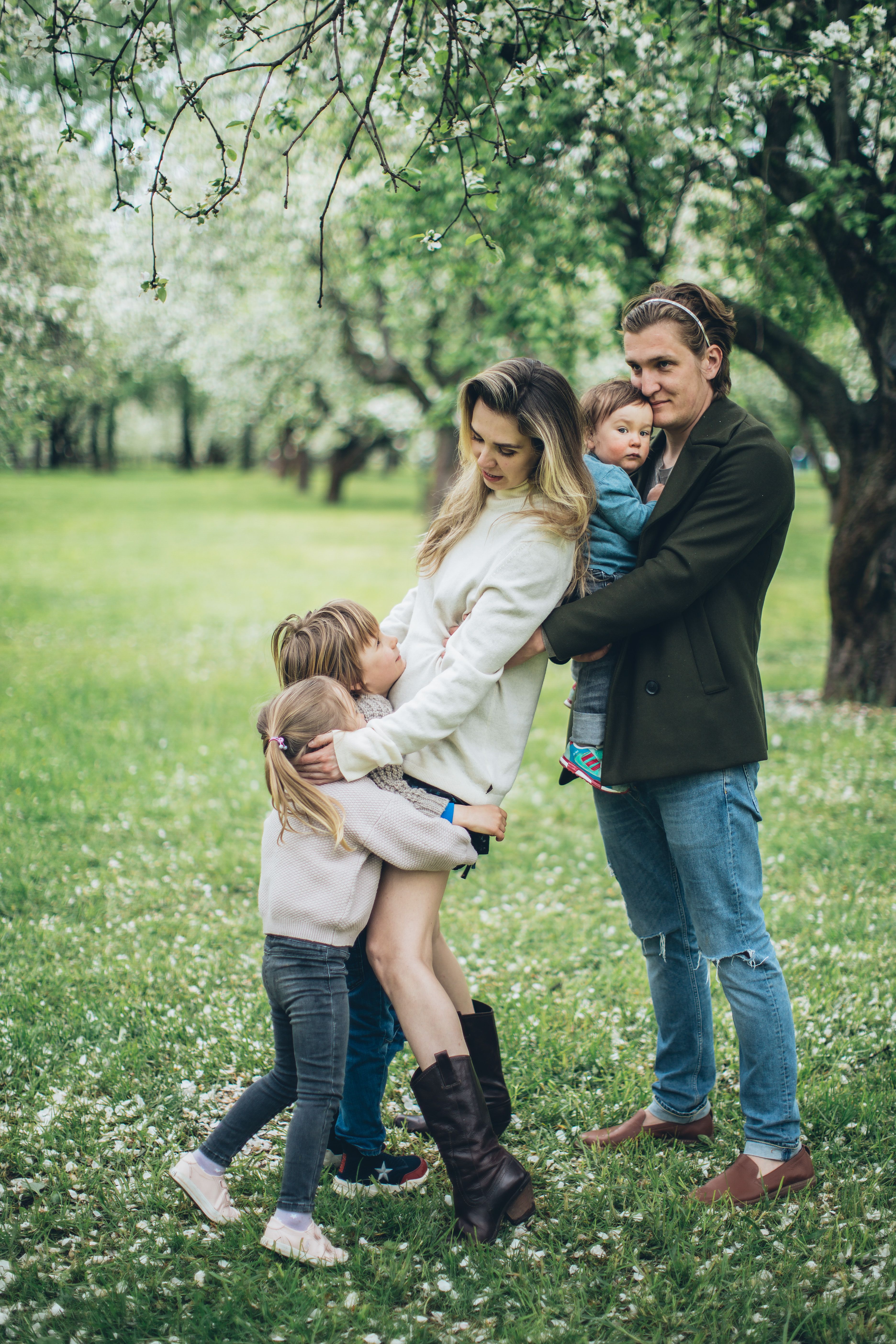
The power of shared whiteboarding: Build your family tree with relatives in real time
Shared whiteboards make family tree building a live, visual collaboration. Learn how to use them with relatives and then preserve the results as a lasting legacy in MyHeirloom.
Introduction
Across many families, the desire to preserve stories, photographs, and ancestry details often collides with a simple practical problem: everyone’s memories and materials are scattered across phones, cloud folders, old albums, and individual computers.
Many relatives hold small pieces of the puzzle, but they rarely come together in one place to assemble those pieces into a coherent family history. At the same time, genealogy has become increasingly digital, with platforms that allow users to build trees, attach records, and even collaborate on shared profiles.
Yet the process of gathering information, agreeing on relationships, and deciding which stories matter most still benefits profoundly from live conversation and visual thinking. This is precisely where online collaborative whiteboards enter the picture, creating a shared, real-time workspace where relatives can sketch branches, add names, attach notes, and negotiate what belongs in the tree together.
Modern digital whiteboards provide cloud-based canvases that support writing, drawing, sticky notes, images, links, videos, and even embedded documents. Originally adopted for classrooms, team collaboration, and project planning, they have increasingly become a natural medium for groups who need to think visually and collectively about complex information.
In an educational context, instructors use them to aggregate ideas, facilitate group work, and make learning visible in real time, while retaining all content for later review. Corporate teams employ online whiteboards to brainstorm, plan projects, and centralize artifacts in a single space that everyone can access from anywhere.
These same properties—real-time interaction, infinite canvas, multimedia integration, and persistent storage—make them remarkably well suited to collaborative family tree workshops, especially when family members are geographically dispersed.
The social and emotional dimension of building a family tree is just as important as the data itself. Collaborative genealogy platforms have shown that shared family trees can dramatically reduce duplication of effort and open new research paths through connections with other people’s work.
However, these platforms are typically oriented around incremental profile editing and record attachment rather than live, synchronous brainstorming. The process of deciding how to represent complex relationships, which branches to include, or how to group extended kin often requires discussion that is easier when everyone can see the whole structure unfold visually.
Online whiteboards fill this gap by offering a neutral, flexible space where families can co-design the structure of their tree before committing the agreed version into a more formal genealogy or legacy platform.
MyHeirloom sits in a complementary position in this ecosystem. It is not primarily a whiteboarding tool, but rather a privacy-first Legacy Room designed to unify Keepsakes, family connections, recipes, and sensitive documents into one meaningful archive that can support intergenerational continuity over time.
Its Family Tree feature allows users to model genetic and non-genetic relationships, while My Tribe gives depth to individual profiles. Keepsakes, Life Timeline, Family Cookbook, and DocuVault anchor the broader story and context of the family.
In practice, a family might use a shared online whiteboard for live tree-building sessions, then take the agreed structure, key stories, and identified documents into MyHeirloom. Here, they become part of a more durable, structured legacy that can grow and be cared for by Trustees and future generations.
MyHeirloom thus transforms the ephemeral energy of collaborative whiteboarding into a lasting, organized record of the human relationships and narratives that emerge.
Throughout, the underlying logic is simple: it is no longer enough to store files. What matters is the context, relationships, and shared understanding that transform those files into a legacy.
Families who combine both approaches are better positioned to turn scattered memories and partial data into an organized, secure, and meaningful heritage.
The rise and logic of online collaborative whiteboards
From physical whiteboards to cloud-based canvases
The classical physical whiteboard has long been a staple of classrooms and meeting rooms because it allowed for spontaneous writing, drawing, and diagramming. However, its limitations are increasingly evident in settings that require ongoing work, remote collaboration, and multimedia integration.
Collaborative digital whiteboards emerged as a solution to these constraints, providing a cloud-based canvas where multiple users can interact simultaneously and retain the contents permanently. Once a session ends, the physical whiteboard must be erased to make room for new content, and any attempt to preserve information relies on photos that quickly accumulate without structure.
Modern online whiteboards are designed as visual communication spaces that support text, drawings, shapes, images, web links, videos, and often recorded audio. Because they are accessible via web browsers and mobile apps, participants can join from laptops, tablets, or phones regardless of location, making the canvas a shared reference point that transcends physical geography.
Autosave capabilities ensure that no one’s ideas are lost, allowing boards to be exported as images or PDFs and duplicated as templates for future sessions. For educators, these properties have become essential in hybrid and remote learning, where fostering active participation and community is more challenging than in a traditional classroom.
In corporate and organizational settings, online whiteboards are used to synchronize remote teams, improve decision-making, and reduce the overhead of scattered documents and email threads. Teams can sketch processes, create mind maps, attach reference documents, and document action items in one central visual hub.
The infinite canvas characteristic of many digital whiteboards means that projects can expand without needing to start over on a new board. Visual collaboration has proven particularly effective in hybrid work environments, where real-time interaction on a shared board can recreate some aspects of being in the same room.
From the standpoint of family history, these developments matter because they demonstrate how people have already adapted to thinking together visually in digital spaces. Families are not fundamentally different from work teams or classrooms in their need to align mental models, negotiate perspectives, and gradually build shared representations of complex information.
Online whiteboards provide the infrastructure for such a project to unfold collaboratively, especially when relatives cannot meet physically. The fact that boards can be reused, extended, and revisited makes them suitable for genealogical exploration, which often spans months or years.
Educational and team collaboration lessons for family history work
Research and practice around online whiteboards in education emphasize their ability to support active learning and collaboration in ways that physical boards cannot. Because information on an online whiteboard persists, students can return to the material, review past discussions, and continue developing ideas from session to session.
These workflows reveal patterns that are directly applicable to family tree building: creating templates, returning to an evolving canvas, and involving all participants. Teachers can copy and modify existing boards to create templates for different activities, and students can use shared boards for brainstorming and organizing group projects.
Corporate guidance on using digital whiteboards also stresses the importance of preparation, role assignment, clear goals, inclusive participation, and visual richness. Facilitators are advised to set up boards with reference materials and guidelines beforehand, clarify expectations for participants, and make deliberate use of visuals, sketches, and diagrams.
This logic maps naturally onto family genealogy sessions where someone prepares a basic framework and relatives assume roles like storyteller or fact-checker. Teams are encouraged to use whiteboards to reduce miscommunication, centralize information, and keep everyone on the same page.
Another lesson from educational and professional contexts is that online whiteboards can accommodate a wide range of activities beyond straightforward brainstorming. They can serve as icebreakers, poster session spaces, show-and-tell environments, and venues for interactive presentations.
A session can begin as an open memories wall where relatives post fragments of stories, photos, or dates, and then gradually evolve into a structured tree. Integrating playful elements, such as asking each participant to draw their branch, can increase engagement and make the process less intimidating, especially for younger family members.
The visual and multimedia affordances of digital whiteboards also help accommodate different learning and communication styles. Not everyone is comfortable speaking at length in a group, and not all memories are easily expressed in linear, textual form.
The visual and multimedia affordances of digital whiteboards also help accommodate different learning and communication styles. The ability to drop in images, scribble on a diagram, or attach a short note allows more people to contribute in the way that feels natural to them.
This inclusive aspect is important in family settings, where generational differences, language barriers, and emotional dynamics can limit who feels able to speak.
Visual collaboration tools can level the field, making it easier for quieter voices to be heard. By mapping information visually, complex or sensitive details can often be conveyed through more than words alone.
Give them the home they deserve. Bring your family legacy into the digital age.
Start archivingFor MyHeirloom, understanding these educational and collaborative dynamics is crucial. While MyHeirloom itself is the structured archive that captures outcomes, families may use third-party whiteboards as working spaces for genealogical and storytelling sessions.
After a family has experimented on a digital whiteboard, they can transfer the agreed tree into MyHeirloom’s Family Tree, create My Tribe profiles, and transform key stories into Keepsakes. This step ensures that the collaborative process does not remain locked inside an ephemeral board but becomes part of an enduring, organized legacy.
Collaborative family trees in the digital age
Individual versus collaborative genealogy platforms
The rise of online genealogy platforms has given individuals powerful tools to construct and manage family trees, attach records, and share findings with relatives. Many sites allow users to create trees that are managed by a single owner, who may invite specific people to view or edit, and often provide integration with historical record databases.
To address this, several platforms have adopted collaborative models where users contribute to a single tree or interconnected system. These individual trees offer control and privacy, but they can also lead to duplication of effort, fragmented versions of the same family, and limited visibility into research conducted by distant cousins.
For example, some platform models allow all users to see the same information about deceased persons, and any registered user can add or correct data. The goal is to create an accurate record of the human family, reduce duplicate research, and make sharing information easier.
Some systems allow families to privately share sensitive information on specific profiles while still participating in a globally interconnected tree. Other platforms encourage users to merge overlapping profiles and contribute to a unified tree, leveraging collective efforts to build a definitive genealogy.
Collaborative trees have distinct advantages. They can reveal connections that an individual genealogist might never notice, because other users working on different branches may attach sources or make corrections that illuminate shared ancestry.
However, they also introduce challenges: different users may disagree over conclusions, and incomplete information may be added prematurely. The open nature of editing can make some researchers uncomfortable about losing control of their tree.
For families intent on building a shared understanding of their history, the collaborative tree model resonates on a smaller scale. Even if they do not participate in global trees, they may wish to work together on a family-specific tree that multiple relatives can access and update.
Rather than viewing the tree as a static artifact maintained by a single person, these tools support an understanding of genealogy as an ongoing collaborative project. Some platforms explicitly advertise real-time collaboration on family trees, with drag-and-drop interfaces and export capabilities.
MyHeirloom’s Family Tree feature takes a related but distinct approach. It allows users to build trees that can incorporate genetic and non-genetic relationships, including marriage, adoption, step-family connections, and other modern structures.
MyHeirloom supports shared family engagement through controlled visibility, allowing designated family members to view, discuss, and reflect on the family tree. The platform focuses on a structured environment where a primary owner curates the Legacy Room.
The platform recognizes that a tree without story is a skeleton; its ambition is to connect the tree to the broader Legacy Room, where personal memories, My Tribe profiles, and DocuVault entries enrich the bare lines of descent.
Real-time family tree building: Whiteboards meet genealogy tools
While collaborative genealogy platforms provide structured mechanisms for multi-user editing and record attachment, they are not always optimized for live, real-time brainstorming about tree structure. Here, online whiteboards fill an important gap.
Several whiteboard providers explicitly market their canvases as family tree makers, emphasizing the ability to visualize relationships, add photos and videos, and expand branches. These tools share several properties that are particularly conducive to real-time collaboration.
They allow multiple users to be present on the board simultaneously, often with visible cursors, so that everyone can see changes as they happen. They support asynchronous contributions as well, meaning that relatives who cannot attend a live session can later log in, add notes, or reorganize branches.
They provide visual elements—shapes, lines, color coding—that help distinguish different family lines, branches, and relationship types. They also make it easy to adjust the layout, move relatives to different positions, and annotate gaps or uncertainties with notes.
Another powerful aspect of using whiteboards for family tree building is their ability to host supporting materials alongside the diagram. Families can attach photos of ancestors, scans of documents, short biographical notes, or even audio clips where someone explains a branch or recounts a story.
The board becomes not only a representation of relationships but also a temporary archive of clues and stories that support those relationships. As relatives move through the tree, these artifacts can trigger memories and revelations, leading to corrections or expansions of the diagram.
The output of such sessions is often a rich, visually annotated diagram that represents both agreed relationships and areas of uncertainty. Families may export the board as a PDF or image for reference, but if no further steps are taken, the result can easily be forgotten.
For families that care about narrative, multimedia, and sensitive information, a broader legacy platform like MyHeirloom offers significant advantages. Many families use the whiteboard as an intermediate step and then transfer the agreed tree and key stories into a more structured platform.
In practice, after a shared whiteboard session, one or more family members can create or update the Family Tree in MyHeirloom, attach Keepsakes that relate to particular branches, add recipes into Family Cookbook, and store important documents in DocuVault.
Emotional and social benefits of co-constructing family history
Beyond structure and data, there is an emotional dimension to building a family tree that collaborative tools can either enhance or harm. When genealogy is pursued individually, relatives may feel excluded or uninterested, and the resulting tree can appear as a private project rather than a shared heritage.
This sense of inclusion can strengthen intergenerational bonds and give people a feeling that the family tree belongs to everyone. In contrast, collaborative whiteboarding sessions invite relatives into the process, allowing them to see their memories reflected in the diagram and to contribute directly.
Collaborative storytelling practices emphasize the importance of roles, tools, and regular sessions in sustaining family history projects. Guides recommend starting with a family meeting, assigning roles such as interviewer, photographer, and transcriber, and using shared digital tools.
Photo sharing and scanning tools enable distributed collection of images, with each person scanning their own albums and adding them to a shared repository. Asynchronous collaboration tools help families organize stories and track progress.
The act of co-constructing a family tree on a whiteboard can serve as a gentle prompt for deeper conversations. As branches are drawn and names added, relatives may spontaneously recall key events, migrations, disputes, reconciliations, traditions, or personal details.
The visual nature of the board helps maintain focus on relationships while leaving room for these narratives to emerge. Some stories may be joyful; others may be sensitive or painful. For older relatives, contributing can be affirming, giving them a sense that their knowledge is valued and will be preserved.
MyHeirloom’s design aligns with these emotional and social realities. Its Legacy Room is intended to be a thoughtful space where memories, relationships, and important information can coexist without feeling either trivial or overwhelming.
When families conduct shared whiteboard sessions to build their tree, they are engaging in a social process that MyHeirloom can later sustain and deepen. The platform allows those stories to be recorded as Keepsakes, related documents to be stored securely, and the structure of the tree to be visualized persistently.
The power of shared whiteboarding for family tree building
Visual thinking, memory triggers, and generational participation
When families attempt to reconstruct their ancestry, they are often dealing with complex networks of relationships, overlapping timelines, and partial memories. Visual thinking can help manage this complexity by externalizing internal mental models into diagrams that can be collectively inspected and modified.
Online whiteboards provide an ideal medium for such visual thinking because they offer an infinite canvas, easy manipulation of shapes and lines, and immediate feedback. As relatives add boxes for individuals and draw connections, they can see the structure of the family clearly.
Memory research suggests that visual cues and spatial organization can significantly aid recall. In practice, when a grandmother sees the diagram with a branch for her siblings, she may remember that one moved abroad, another had children that have not yet been added, or that a particular cousin returned for a specific event.
Moreover, when photos or notes are attached near particular branches, they become memory triggers. An old wedding photo placed next to a couple’s node can spark recollections of guests, time periods, and subsequent events.
Generational participation is also enhanced by shared whiteboarding. Younger relatives, who may be more comfortable with digital tools, can take on roles such as drawing, moving elements, or attaching media, which gives them an active part in the process.
Because the canvas is shared, both generations can see their contributions reflected in the evolving diagram. Older relatives can provide the narrative content and verification, focusing on stories and relationships rather than manipulating the interface itself.
For families that care deeply about preserving legacy, this kind of participatory experience can be a turning point. It shifts the narrative from "someone is building the tree" to "we are mapping our family together," encouraging relatives to continue contributing after the session.
Instead of losing the insights from a single whiteboard session, families can systematically transfer them into Family Tree, Keepsakes, and DocuVault entries. MyHeirloom can then serve as the place where these contributions are captured in a structured way and remain accessible over time.
Practical workflow: From brainstorming session to structured tree
While the flexibility of online whiteboards is a strength, it can also be overwhelming if families do not approach their sessions with some basic structure. A practical workflow typically begins with setting a clear purpose: whether the immediate goal is to outline the main branches, focus on a particular line, or identify missing information.
A facilitator, often a relative comfortable with digital tools, can set up the board beforehand with a simple tree template or a starting point. They may place a central shape representing the focal person or couple and leave space around it for branches to grow.
Store your most cherished memories and heritage safely on Heirloom.
Preserve our memoriesDuring the session, relatives gather—either in person or via video—and the facilitator shares the whiteboard on a screen. Participants then begin adding names, relationships, and rough dates.
As the tree grows, the facilitator can occasionally zoom out to show the whole structure, helping participants maintain a sense of the big picture. It is useful to include visual cues for different relationship types, such as using dotted lines for uncertain connections or different colors for maternal and paternal branches.
As stories emerge and documents are mentioned, the facilitator or another designated scribe can attach notes near relevant nodes, marking where further research is needed. For example, a note might say that the birthdate of a great-grandparent is approximate or that a particular cousin’s descendants are not yet known.
If relatives mention important records—such as immigration papers, marriage certificates, or military service documents—the scribe can note their existence and owner. Photos can also be dragged onto the canvas and positioned near the appropriate branches, serving as both decoration and evidence.
At the end of the session, the group can briefly review the board and agree on key decisions, such as the names, relationships, and date ranges that are considered reliable and ready to be transferred. They may also identify unresolved questions and assign follow-up tasks.
In this workflow, MyHeirloom becomes the destination where the tree, stories, and documents are anchored. The board itself should be saved as a reference image; however, the real value comes when someone deliberately transfers the agreed structure into a longer-term platform.
A family member can create or update the MyHeirloom Family Tree according to the whiteboard’s structure, create My Tribe profiles that match the key figures discussed, and build Keepsakes that capture the rich stories that emerged.
Keepsakes can document specific events or migrations, enriched by Weaver’s prompt-based guidance to help recall details and articulate narratives. Meanwhile, DocuVault can hold digital copies of critical documents whose existence was noted on the whiteboard.
Common mistakes and how to avoid them
Despite their strengths, shared whiteboard sessions can fall prey to common mistakes that reduce their effectiveness or create confusion later. One frequent issue is treating the whiteboard as the final resting place of information rather than an intermediate working space.
Establishing a clear post-session step—such as committing the details to MyHeirloom’s Family Tree—helps avoid this pitfall. If families do not transfer the agreed tree and associated stories, they may end up with a single exported image that becomes difficult to locate or interpret months later.
Another mistake is failing to distinguish between confirmed information and speculation. In the enthusiasm of a live session, relatives may propose relationships or dates that are later found to be inaccurate.
If the whiteboard does not visually differentiate certainty levels, viewers may later assume that all information is equally reliable. This can lead to errors propagating into more permanent trees. Incorporating explicit annotations for uncertainty helps prioritize accuracy.
MyHeirloom’s emphasis on attaching sources and reason statements when users make changes in collaborative contexts mirrors this best practice, even though its Family Tree editing is curated rather than completely open-world.
Privacy concerns also arise if the whiteboard is shared widely without appropriate controls. Some digital whiteboards allow anonymous contributions without accounts, while others require accounts and provide permissions systems.
Families must be aware of whether their board is public, accessible via link, or restricted, especially when including photos or sensitive information. It may be wise to avoid posting highly confidential data on the whiteboard and to reserve such materials for later upload into a secure platform like MyHeirloom’s DocuVault.
If no one is responsible for moderating the session or capturing decisions, the process can devolve into a free-for-all where ideas are expressed but not organized. A further mistake involves lack of role clarity.
Families can avoid this by assigning roles beforehand: a facilitator to guide the process, a scribe to capture notes, a researcher to handle follow-up tasks, and an archivist to manage MyHeirloom entry. Having designated responsibilities ensures that the energy of the session is channeled toward lasting outcomes.
From infinite canvas to Legacy Room: Integrating shared whiteboards with MyHeirloom
Translating collaborative diagrams into structured family trees
Once a family has conducted one or more shared whiteboard sessions and developed a provisional tree, the critical next step is to translate this collaborative diagram into a structured representation that can be maintained and enriched over time. MyHeirloom’s Family Tree is designed for precisely this function.
The translation process begins by creating or updating the Family Tree in MyHeirloom to reflect the agreed structure from the whiteboard. Users can start with themselves or a key ancestor as the central figure, then add parents, siblings, children, and extended relatives according to the diagram.
Because MyHeirloom supports modern family structures, users can represent adoption, step-family relationships, and unmarried partnerships that might have been clarified during whiteboard sessions. The aim is to capture its relational logic in a more structured system that is resilient to changes and supports search and categorization.
As the tree is populated, MyHeirloom’s Life Timeline can begin to reflect dated Keepsakes connected to specific individuals and events. For example, if the whiteboard session highlighted a migration event or a family reunion, users can create Keepsakes for those memories, attach relevant media, and assign dates.
These Keepsakes automatically appear in Life Timeline, providing a chronological view of the family’s history that complements the generational view of the tree. Weaver can assist in crafting these Keepsakes, guiding users with prompts to recall details and articulate feelings.
A Trustee can be designated to care for the Legacy Room after the primary user’s passing, ensuring that the Family Tree and its associated stories and documents remain accessible. By anchoring the tree in MyHeirloom, families also create a foundation for future use of Trusteeship and Patron accounts.
Patron accounts allow a user to create separate Legacy Rooms for or about other individuals—such as a child, parent, or deceased relative—using the Family Tree as a backbone for those focused narratives.
Adding context: Keepsakes, My Tribe, Family Cookbook, and DocuVault
A family tree without context can feel dry or incomplete. MyHeirloom’s design recognizes this by surrounding the Family Tree with other features that capture the richness of family life.
My Tribe allows users to create profiles of important people in their lives, whether or not they are directly part of the genetic tree. These profiles can include biographical information, photos, and notes that reflect the person’s role in the user’s story.
Keepsakes are the heart of MyHeirloom’s storytelling capability. These multimedia scrapbook entries can preserve specific memories such as childhood rituals, migrations, professional achievements, holidays, or stories about loved ones.
Whenever a whiteboard session surfaces a particularly vivid story, it can be captured as a Keepsake. Users can start with a photo, audio, video, or text, then enrich the entry with additional media, tags, and links to My Tribe profiles or relevant parts of the Family Tree.
Family Cookbook offers a space to preserve recipes, rituals, and food-related traditions that often carry deep cultural and emotional meaning. Whiteboard sessions may reveal that certain branches of the family are associated with particular dishes or holiday meals.
Capturing these recipes in Family Cookbook, alongside notes about their origin and significance, ensures that they do not exist only in the memories of specific relatives. Younger generations can access them, try cooking them, and feel more connected to their heritage.
DocuVault serves a different but equally important role. It is a secure space for organizing sensitive documents and information that support the family’s legacy, such as military papers, historical certificates, or copies of estate planning documents.
DocuVault is where these scanned files can be safely organized under a secure, privacy-first system. While whiteboard sessions should avoid exposing highly confidential data, they often uncover the existence of key documents.
It is important to remember that MyHeirloom is not a replacement for a legal will, estate planner, or financial advisor. Instead, it serves as an organized digital companion to help family members locate important files when they are needed most.
Conclusion: Turning collaborative energy into a lasting legacy
Shared digital whiteboards are brilliant tools for bringing families together in real time. They foster active participation, spark memory recall through visual cues, and make the process of mapping a family tree an engaging, multi-generational event. However, the true value of these collaborative sessions is realized only when the resulting ideas, relationships, and stories are moved into a permanent, secure home.
By transitioning from the temporary working space of a whiteboard to the structured ecosystem of MyHeirloom, you ensure that your family’s history is not lost in a cloud of scattered image files or forgotten links. MyHeirloom's unified features—from the Family Tree and Keepsakes to the DocuVault and Family Cookbook—give you the perfect platform to build, organize, and protect your digital legacy room.
Explore MyHeirloom today, and start converting your family's collaborative energy into a structured, secure, and beautiful legacy that future generations can cherish.
FAQ
1. Is a cloud folder enough to preserve our family tree?
Storing a family tree diagram in a cloud folder is better than keeping a single paper copy, but it is usually not sufficient for preserving a rich, multi-generational legacy. Cloud folders tend to accumulate many unstructured files, and diagrams saved as images or PDFs often lack the context, sources, and stories that make them meaningful over time. A dedicated legacy platform like MyHeirloom complements basic cloud storage by providing structured Family Tree features, narrative Keepsakes, Life Timeline views, and secure DocuVault entries, all organized in one Legacy Room that future generations can understand and build upon.
2. What is the difference between a shared whiteboard and a genealogy site?
A shared whiteboard is primarily a visual collaboration tool designed for real-time brainstorming and flexible diagramming, whereas genealogy sites are structured databases optimized for recording individuals, relationships, and historical records. Whiteboards are excellent for live sessions where families map their tree, discuss uncertainties, and experiment with layouts. Legacy platforms like MyHeirloom are better suited for storing agreed information, attaching sources, and organizing stories, recipes, and private documents for secure, long-term family access.
3. How can we involve relatives who are not comfortable with technology?
Relatives who are less comfortable with digital tools can participate by focusing on storytelling and verification rather than directly manipulating the whiteboard. A family member can act as facilitator, adding names and branches based on the older relative’s narration and showing the evolving diagram on a shared screen. After the session, that facilitator can handle the transfer into MyHeirloom, ensuring that contributions from less technical relatives are reflected in the Family Tree and Keepsakes without requiring them to master new software.

MyHeirloom gives you a dedicated Legacy Room—a private, secure space to collect photos, videos, documents, and stories.
Start now for free