
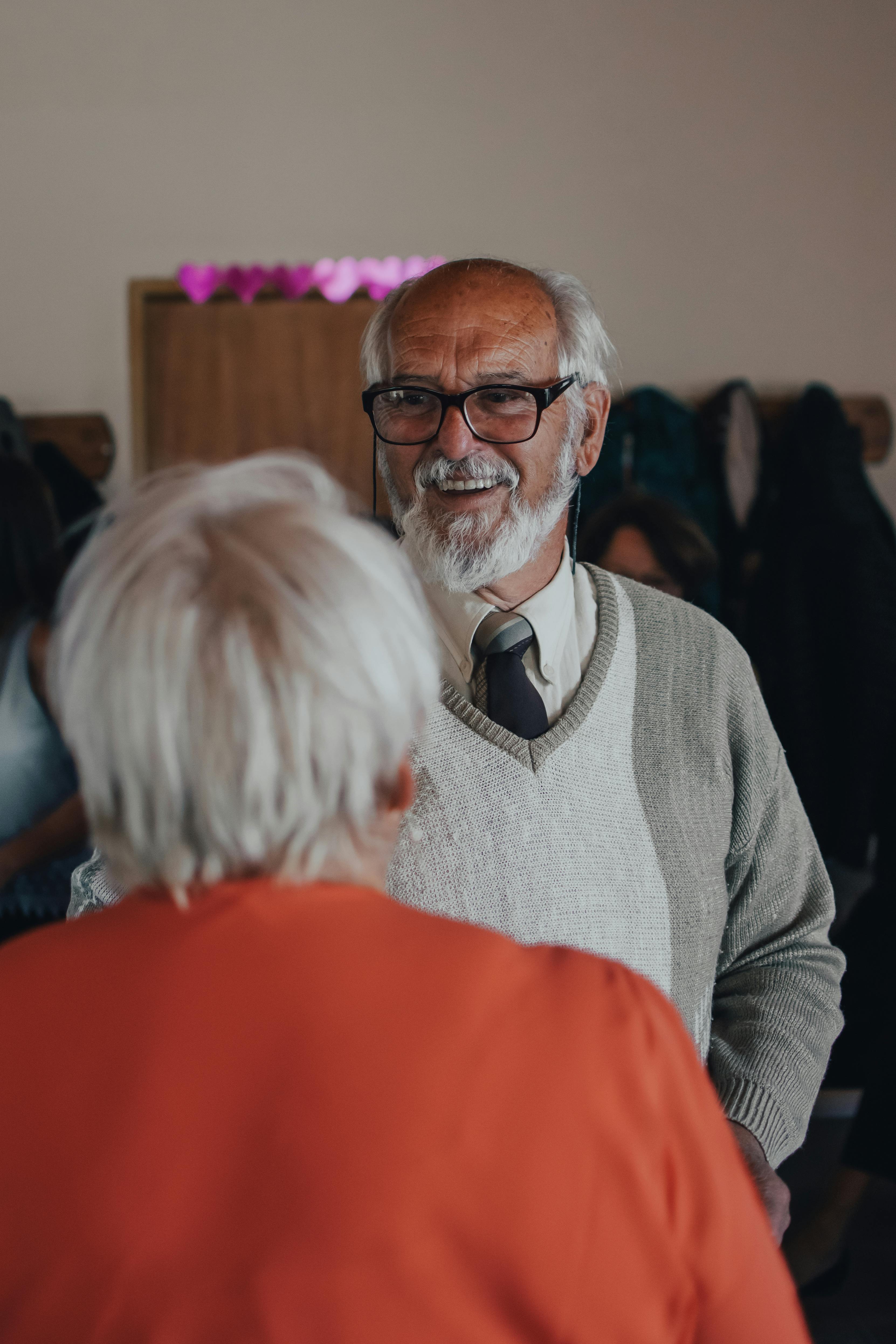
The art of captioning: How to label photos so future generations know who’s who
Thoughtful captions turn anonymous family photos into usable history. This article explains how to label images safely, clearly, and consistently—on paper and in digital archives—so future generations truly know who’s who.
Photographs occupy a unique place in family legacy work because they capture recognizable faces and specific moments, yet they often lack the basic information needed for descendants to interpret them. Without a caption, even a vivid wedding portrait or group snapshot can become opaque within a single generation, especially when the people depicted move, age, or pass away.
Many families discover too late that older relatives who could have identified everyone in the frame are no longer available, leaving entire albums detached from any clear narrative. At the same time, digital photography has exploded the number of images people create, making it increasingly difficult to keep track of who appears where and which images truly matter for long-term memory preservation. This combination of fragile paper prints and overwhelming digital abundance makes the art of captioning both more urgent and more complex than in previous eras.
Taking captioning seriously can feel intimidating at first, because it appears to require close attention, historical knowledge, and time that many people assume they do not have. However, practical captioning does not demand perfection; it requires a consistent, thoughtful approach that records what is known and makes it possible for future family members to add, correct, or expand those details.
Archivists and librarians emphasize that a good caption usually includes a brief description of the image, identification of key people, and a clear credit or source line, with enough information for someone else to understand and locate the image later. In family contexts, this can be simplified into the habit of always asking: who is this, when and where was it taken, and why might it matter to someone in fifty years.
MyHeirloom’s perspective on captioning begins from the recognition that ordinary phones, hard drives, and social platforms are rarely designed for long-term memory preservation. Files are scattered, search is limited to file names or dates, and context about relationships, emotions, and events is mostly trapped in fragmented posts or private conversations.
MyHeirloom approaches the problem differently by treating each photo, video, or audio clip as a potential Keepsake: a multimedia entry enriched with story, tags, people from My Tribe, and placement on a Life Timeline. Within this environment, the “caption” is not just a line of text; it is the gateway into an entire narrative that ties the image to family members, traditions, and significant milestones.
Understanding how to label photos so future generations know who is who requires several layers of thought. It involves recognizing why captions matter, learning what information to include, adopting safe methods for physical prints, using digital metadata and alt text effectively, and organizing everything in a coherent system that does not rely on memory alone.
Introduction
Captioning family photos seems deceptively simple—most people imagine writing a name and date on the back of a print or typing a short sentence underneath an image in a digital album. Yet when we look at how historians, archivists, and genealogists work with photographs, we see that truly useful captioning follows clear principles that balance brevity, accuracy, and long-term readability.
Without a baseline caption, even eager helpers struggle to provide reliable identifications because there is no starting point for comparison. Simple written clues about location, approximate year, or family surnames can dramatically increase the chance that descendants will successfully reconnect images with names.
At the same time, digital tools have added new dimensions to captioning. Modern images carry EXIF metadata about camera, date, and technical settings, while IPTC fields and local properties allow users to add descriptions, keywords, and creator information.
For MyHeirloom, the art of captioning intersects directly with its mission to help users turn scattered memories, relationships, and important information into an organized, secure, and meaningful legacy. In a Legacy Room, a photo can be linked to a Keepsake narrative, connected to people in My Tribe, placed into a Family Tree, or referenced in DocuVault entries.
The goal of this article is to give readers a practical, trustworthy guide to captioning practices that work across both physical and digital environments. We will examine why captions matter, what information they should contain, how to handle fragile prints, and how to move from minimal captions to fuller stories.
Why photo captions matter for family legacy
Captions as bridges between generations
Captions matter because they bridge the gap between an image’s visual content and the knowledge needed to interpret it correctly. A photograph of a group of relatives on a porch may look charming, but without names, relationships, or a timeframe, it becomes a puzzle whose pieces are difficult to assemble.
Genealogists emphasize that photographs are most valuable when they are connected to known individuals in family trees and accompanied by contextual notes. When captions identify each person, descendants can place the image within the network of relationships they know from other records.
Intergenerational bridges rely on more than names alone. Many heritage-focused communities stress the importance of noting locations and significant occasions, because these details help situate images within broader historical narratives.
A caption that states full details carries far more interpretive power than one that simply lists names. The added context clarifies the event, specifies the location, and implies social realities that descendants or historians might explore further.
Written captions serve as independent evidence that can survive beyond any single person’s recollection. When combined with MyHeirloom’s Life Timeline and Family Tree, these captions allow younger generations to discover their heritage in an engaging, visual way.
Preventing the loss of uncaptioned collections
When older relatives die or downsize, families often inherit boxes of photographs and albums with minimal or no labeling. Without captions, families may feel emotionally overwhelmed and practically helpless, leading them to keep everything unsorted or discard large portions because they cannot identify the content.
From an archival perspective, uncaptioned collections pose a major challenge because they require time-consuming detective work to reconstruct context. Although techniques such as comparing facial features can help, they rarely produce reliable identifications.
The risk of losing uncaptioned collections is amplified by digital habits. Many people store thousands of photos on phones, in messaging apps, or in cloud drives without any descriptive naming, leaving files functionally invisible.
MyHeirloom addresses this problem by encouraging users to convert important photos into Keepsakes with clear titles and captions. Instead of leaving images scattered across devices, users can gather them into one secure Legacy Room.
Captions as tools for genealogical and historical research
For genealogists, captions are not merely decorative; they are vital data points. When captions specify full names, dates, and locations, they function like mini source notes that can be cross-referenced with census entries and vital records.
In historical research, properly captioned photographs provide deep insight into social, cultural, or economic contexts. Adopt similar habits to strengthen the research value of your family images.
When integrated into MyHeirloom, genealogical and historical captioning becomes more powerful because photos are linked directly to other data types. This allows descendants to construct richer narratives about family trajectories over time.
Principles of effective photo captioning
What makes a caption “good” for future generations
A good photo caption serves the needs of someone who did not witness the original event and may not know anyone in the frame. It must be clear, specific, and independent of unspoken assumptions.
Clarity is the first requirement because ambiguous captions can mislead as much as they inform. Writing "Grandma and the kids" might make sense now, but future generations will not know which individuals are meant.
Specificity matters because it adds cross-checkable details. Including a city, neighborhood, or known landmark helps descendants match the image with family migration patterns or property records.
Independence from unspoken assumptions is crucial because private meaning rarely survives intact across generations. Avoid abbreviations, nicknames without context, and references like "our place" that require prior knowledge.
Balancing brevity and completeness
Give them the home they deserve. Bring your family legacy into the digital age.
Start archivingOne of the main challenges in captioning is deciding how much information to include. The art lies in finding a middle ground where captions contain key data points while leaving room for longer narratives elsewhere.
A practical way to think about this balance is to distinguish between identification captions and story captions. Identification captions focus strictly on who, when, where, and what, with minimal elaboration.
MyHeirloom’s design encourages separating these layers in a coherent way. The caption attached to an image within a Keepsake carries identification details, while the main text field accommodates the deeper story.
Consistency in names, dates, and relationships
Consistency is another hallmark of effective captioning because it ensures that information can be searched and cross-referenced reliably. Using full legal names along with any common nickname helps prevent confusion.
For dates, consistency means adopting a standard representation and using it throughout the collection. When exact dates are unknown, indicating approximate years is better than omitting temporal information entirely.
Relationships should also be described consistently, especially in families with complex structures. Specifying roles like stepfather or maternal cousin helps align visual records with tree entries.
Safe physical labeling of printed photographs
Why writing directly on photos can be risky
Many people assume that the easiest way to label a printed photograph is to write directly on the back with a pen or marker. However, conservation experts warn that this common habit can cause severe, long-term damage.
Writing on the back of a photo can leave physical impressions that weaken the paper, and inks may bleed through. Some inks contain chemicals that interact negatively with photographic emulsions over time.
Adhesives like tape or sticky notes should also be avoided because they leave harmful residues. In family contexts, it is heartbreaking to discover that well-intentioned labeling has damaged irreplaceable prints.
Archival-safe labeling materials and practices
Archival practice emphasizes using materials that have been tested for compatibility with photographic media. Suitable plastics include uncoated polyester, polyethylene, and polypropylene.
For labeling, the safest approach is often to write on protective enclosures rather than on the photographs themselves. Write along the edges of sleeves or folders with unique identifiers.
When writing on paper enclosures, a soft graphite pencil is generally preferred because it does not bleed or fade. If pens are used, they must be archival-quality, pigment-based, and tested for stable performance.
Handling and storage to support long-term readability
Captioning is intimately connected to storage because labels must remain legible and physically associated with the correct photographs. A dry, cool, and stable environment is best for preserving photographic materials.
Housing photographs in protective enclosures is crucial to protecting them from dust, light, and handling. Once placed in sleeves, they should be stored in photo-safe boxes oriented horizontally or vertically.
MyHeirloom encourages users to complement such physical practices with digital preservation. Scanning photographs and uploading them into the Legacy Room provides an invaluable safeguard against physical loss.
Digital captions, metadata, and accessibility
Understanding EXIF, IPTC, and local metadata fields
Digital photographs carry more potential information than is immediately visible. By default, cameras embed EXIF metadata that records technical details like date, time, and camera settings.
IPTC metadata standards provide fields specifically designed for descriptive human-readable information. Adding descriptions and keywords directly to file properties significantly improves searchability.
MyHeirloom builds upon these existing metadata frameworks by offering its own structure for captions and contextual information. These internal fields are integrated into a broader narrative system designed for legacy preservation.
Alt text and accessible description in digital environments
Beyond metadata, digital images displayed online benefit from alt text—short descriptions used by screen readers to convey visual content to people with visual impairments.
Effective alt text should describe both the visual content and its contextual role simply and clearly. Focus on key elements and proper names without repeating adjacent text.
In the context of family legacy, alt text acts as another form of caption that ensures present-day and future family members with varying accessibility needs can fully participate in the archive.
Naming digital files and structuring folders
The way digital files are named and organized influences how easily future generations can locate specific images. Create consistent file naming patterns that include date, name, and location.
Organizing folders hierarchically based on family units, individuals, or events supports long-term retrieval. Consistency in folder structures makes it less likely that important photos will be misplaced.
MyHeirloom provides an alternative, flexible model. Instead of relying on complicated folder structures, you can organize your digital archive using timeline events, tags, and profiles.
From captions to stories: Connecting photos with family history
Moving beyond minimal labels into narrative Keepsakes
While identification captions are crucial, many families eventually want to tell fuller stories about their photographs. Keepsakes are multimedia entries that turn simple images into rich narrative units.
The transition from caption to story does not require dramatic writing skills; it begins with simple questions. Write a paragraph or two about what the moment felt like and why it mattered.
MyHeirloom’s Weaver feature is designed to support this storytelling expansion. As a conversational guide, Weaver asks questions to help you articulate your memories clearly.
Integrating photos with family trees and My Tribe
Captions become even more powerful when they are integrated with structured family relationships. Linking named individuals to My Tribe profiles and the Family Tree creates multiple pathways for discovery.
This structured approach solves the problem of scattered, context-free digital archives. Future generations can click on a person's profile and immediately see all associated captioned photos and stories.
Using group photo captioning techniques
Group photographs present special challenges because there may be many people to identify. A common archival technique is to create a numbered overlay sheet or a digital key listing names next to corresponding numbers.
This method allows you to gather identifications from relatives without cluttering the original image. You can upload both the original photo and the numbered key as a Keepsake within MyHeirloom.
Organizing captioned photos into a personal archive
Store your most cherished memories and heritage safely on Heirloom.
Preserve our memoriesBuilding a consistent system for physical and digital photos
Captioning is most effective when it is embedded within an organizational system that ensures labeled photos remain accessible. Commit to a simple, repeatable process for both analog and digital assets.
For physical photos, group items in archival-safe storage and maintain a digital index. This hybrid approach protects original prints while keeping them easy to locate.
MyHeirloom serves as a curated, higher-level organizational layer. You do not need to move every single digital file into the platform—focus on the photos that carry lasting significance.
Linking documents, instructions, and captions through DocuVault
Some photographs relate directly to important records like deeds, medical documents, or legal milestones. Linking captioned photos to these documents provides excellent context for descendants.
MyHeirloom’s DocuVault offers a secure, encrypted area for storing sensitive family documentation. Note that MyHeirloom is not a replacement for formal estate planning or legal services.
By associating visual memories with formal papers, you make it easier for designated Trustees to manage family affairs smoothly when the time comes.
Mini FAQ: Common questions about photo captioning
Is a cloud folder enough for preserving family history?
A cloud folder can store image files, but it does not usually provide sufficient context, structure, or relational information. Without captions, metadata, and connections to family relationships, images remain isolated and hard to interpret. Organizing photos into meaningful groups and adding descriptive captions in a platform like MyHeirloom creates a far more usable legacy than simply keeping them in generic cloud storage.
What is the difference between storing files and preserving a legacy?
Storing files focuses on technical survival—the images exist somewhere and can be accessed. Preserving a legacy adds meaning, context, and relationships, ensuring that future generations know who is who, how they are connected, and why certain moments mattered. Captioning, storytelling, and structured features like My Tribe, Family Tree, and Life Timeline are what transform raw storage into an actual legacy.
How can I record memories without writing a full memoir?
You can start by selecting key photographs and writing concise captions and short stories for each, turning them into Keepsakes. Over time, these entries form a mosaic of memories that approximates a memoir without requiring a large, linear writing project. MyHeirloom is designed to facilitate this incremental approach, allowing you to record your life story piece by piece.
How MyHeirloom helps turn captions into legacy
The Legacy Room as a structured space for captioned memories
MyHeirloom’s central concept, the Legacy Room, provides a structured space where captioned photos, stories, and important information come together in an organized, privacy-first environment. Unlike ordinary cloud storage, the Legacy Room treats each photo as a potential node in a network of memories, relationships, and documents.
When users upload photos into their Legacy Room, they can transform them into Keepsakes by adding titles and captions. This basic context allows MyHeirloom to associate the Keepsake with dates on the Life Timeline, with people in My Tribe, and with entries in the Family Tree.
Because the Legacy Room is designed for long-term preservation, captioning here also benefits from MyHeirloom’s approach to privacy and continuity. You can designate Trustees who, after verified passing, help manage the Legacy Room to ensure family stories are passed down smoothly.
Keepsakes: Beyond simple captions to multimedia stories
Keepsakes are MyHeirloom’s way of encouraging users to develop multimedia stories around their memories. A Keepsake can begin with a single photo but grow to include additional images, audio recordings, video clips, and textual reflections.
Weaver, MyHeirloom’s memory guide, assists users in crafting these stories by asking reflective questions. Weaver does not invent facts; instead, it helps you articulate your own memories more fully, turning the caption into an anchor for a deeper story.
My Tribe and Family Tree: Turning “who’s who” into structured data
MyHeirloom’s My Tribe feature allows users to create profiles for important people in their lives. When you caption photos naming individuals, you can link those names directly to My Tribe profiles, transforming the question of "who's who" into structured, interactive family data.
This structured approach is particularly valuable in large or complex families where memories can easily become tangled. Descendants viewing the Family Tree can click on any node to see associated captioned photos, making the family archive simple to navigate.
Family Cookbook and recipes: Captioning cultural memory
Photos are not only about faces; they often capture food, rituals, and cultural practices that families want to preserve. MyHeirloom’s Family Cookbook feature provides a dedicated space for recipes and culinary traditions, which can be linked directly to photos and captions.
Captioning food-related photos is a powerful way to preserve cultural heritage because it records both the gatherers and the recipes. MyHeirloom makes it easy to cross-reference such captions with Cookbook entries, creating a richer picture of family life.
DocuVault and Trustee: Safeguarding captioned legacy over time
The DocuVault feature and Trustee role address the challenge of long-term continuity for captioned legacies. DocuVault provides secure storage for important documents and instructions, while Trustee arrangements ensure that someone can manage the account after verified passing.
By combining captioning with secure storage and continuity planning, MyHeirloom offers a highly thoughtful alternative to ordinary cloud folders. Users can trust that their work of labeling photos will remain accessible to future generations under predefined preferences.
Gentle call to action: Start for free with MyHeirloom
For readers who recognize that their photos, stories, and important information are currently scattered across phones and drives, MyHeirloom offers a practical way to begin organizing what matters. The platform allows users to start for free, explore core features, and experiment with turning a few key photos into captioned Keepsakes.
Conclusion
Captioning family photos is both an art and a discipline. It requires attention to detail, respect for archival safety, and a willingness to imagine the needs of future generations. When we write names, dates, and locations, we are building durable bridges across time.
The central idea is simple yet profound: it is not enough to store files; what matters is preserving meaning and context. Ordinary cloud folders can hold thousands of photos, but without captions and structure, they leave future generations guessing.
If you recognize yourself in these challenges—boxes of unlabeled prints, digital folders full of anonymous faces, or scattered documents—consider taking the next step. Start for free with MyHeirloom and experiment with captioning a handful of meaningful photos to protect the legacy your family deserves.
FAQ
1. How detailed should my photo captions be for family history purposes?
Aim for captions that include who is in the photo (using full names and relationships), when and where it was taken (exact date or approximate year and city), and the basic occasion. You do not need to write a full story beneath every image—keep it concise and save longer narratives for Keepsakes in MyHeirloom.
2. Is it safe to write on the back of old photographs to add captions?
Conservation experts advise avoiding writing directly on photographs whenever possible, as inks can bleed, fade, or transfer to other prints. If writing is necessary, use a soft graphite pencil near the edge of the back. A safer approach is to place prints in archival sleeves and write on the enclosures instead.
3. How can I identify unknown people in inherited photos so I can caption them correctly?
Record any clues you have—such as locations, surnames, or approximate dates—even if you do not know all names. Share copies with older relatives or family friends, or post them to trusted online genealogy communities. You can also use digital overlay keys or numbering diagrams to gather identifications collaboratively.
4. What is the best way to caption digital photos stored across multiple devices and cloud services?
Consolidate your images in a central location, rename important files using a consistent date-name-location pattern, and fill in metadata fields like IPTC captions. Once organized, upload the most significant photos to MyHeirloom as Keepsakes to link them directly with your Family Tree and Life Timeline.
5. How does MyHeirloom improve on simply using a regular photo app for captions?
Ordinary photo apps store images but do not link them to your life stories, family trees, recipes, or formal documents. MyHeirloom’s Legacy Room integrates these features so your captions function as interactive bridges connecting your photos directly to your broader, privacy-first family archive.
6. Do I need to caption every single photo I have to create a meaningful legacy?
No. It is much more effective to focus on images that carry enduring significance—major life milestones, primary relationships, distinctive traditions, and meaningful everyday moments. A carefully curated, captioned collection is far more valuable to descendants than thousands of unlabeled files.

MyHeirloom gives you a dedicated Legacy Room—a private, secure space to collect photos, videos, documents, and stories.
Start now for free